✨ 2025 Year review

Author name: Cécile MAURISSET

Automated Testing, Genymotion Cloud, Mobile Testing, Webinar

Webinar Recording – E2E testing of Android apps on Arm Virtual Devices

On January 19th we hosted a webinar with Oracle Cloud: we discussed mobile test automation strategy, and our teams did a detailed demonstration of how to use our Cloud devices based on Arm in the context of test automation. Our virtual devices have been available on Oracle Cloud for about 6 months and we’re receiving great feedback about how it’s helping our customers test at scale, while optimizing lead times and reducing cost. Arm virtual devices are best suited to offer a native experience to Android dev & devOps teams, and there has been a quick adoption of the product with also a few users switching from x86 cloud devices to Arm devices. To get to know more about the advantages of implementing on the same architecture through the use of Arm-based emulators, and to follow step-by-step a demo of the product, you can now watch the webinar recording: Webinar Recording And stay tuned for more tutorials and webinars!

Genymotion Cloud (AWS-GCP)

Genymotion receives “AWS Graviton Ready” status

A year ago, and after 4 years of successful cooperation with AWS already, we launched our first Android 8.0 Virtual Devices on an ARM Graviton instance. Since then, we have added Android 7.0, 9.0, 10.0 and 11.0 and ramped up our offer. And today, we achieved the AWS “Graviton Ready” status, a technical recognition that our solution is fully following AWS best practices in terms of architecture, software robustness, reliability and customer success. In short… we’ve got a great product! At this occasion, we want to thank the numerous users who have adopted and extensively used Genymotion on Graviton since last year, hence contributing to demonstrate to the AWS team the value of our solution. Usage growth as well as positive feedback has meant a ton to us, but also for our partners at AWS. Haven’t tried Genymotion on Graviton yet? Now that you know we’re bullet-proof, it’s time! So what’s in there? First, you probably know it, we’re a suite of Android Virtual Devices, in the Cloud. On AWS, you can start and stop as many devices as you want in parallel to run and automate Android tests; devices can be controlled through ADB, AWS API and ssh access, which means you can virtually use it for any use case – the only limit is your imagination! Now, Graviton! Genymotion on ARM instances means you are working with a native Android environment, eliminating the need for translation tools. With better compatibility and reduced complexity, you spend less time making things work, but also enjoy better performances, which ultimately means a lower price. Want to check it out? Easy – All versions are self-service and get a free trial! Get Started Choosing Genymotion means getting access to an ever-evolving suite of Android Virtual Devices which is keeping up with market trends at the speed of light; we thrive to deploy new versions of Android as quickly as possible, as well as make our devices available on the latest AWS instances, to offer our customers the most advanced solutions on the market. Stay tuned! AWS just released its first NVIDIA GPU-accelerated Arm-based instances, and we’re already working on it!

Genymotion Cloud (AWS-GCP)

ARM Native Android environment now on AWS

Ensuring the best time performance for our users has always been a major focus for the Genymotion team; in fact, we’ve created Android Virtual Devices in the Cloud precisely because they allow better time performance over physical devices, at a lower cost, in most cases. In this line, we’re introducing for the first time our version of Genymotion Android 8.0 Virtual Devices on ARM Graviton instances on the AWS Marketplace. The AWS Graviton 2 ARM instances are seeing up to 70% better time performance, so we were obviously very keen to deploy Genymotion on them. But there’s more to it; it’s not only about the economics. Indeed, since Android is originally built on ARM, providing the ability to execute native Android applications without the need to install binary translation tools will recreate a native user experience of Android and therefore is excellent news for all Android developers and QA engineers. With Genymotion on the new AWS ARM instances (M6g), developers will enjoy: – Lower price, for up to 70% better performance as x86 – Native Android experience: no need to install ARM translation anymore – No nested virtualization for best performances – Ability to spawn both x86-64 or ARM-64 instances  – Available on AWS EC2 and fully compatible with the entire AWS ecosystem As usual on AWS, it’s self-service and there is a free trial, so please test it and let us know what you think! Start my free trial! New subscriber? Get 50% off Genymotion on AWS through the end of the year by requesting a private offer.

Event

Hacktoberfest 2020: our projects!

It’s this time of the year again: Hacktoberfest is back! In the Genymotion team, we’re serious about Open Source contributions – and as every year, we’re giving the opportunity to any interested employee to participate in the event by dedicating some time to qualifying projects in a team or on their own, and making all their nerdy ideas come true… So what’s in there? Here is a list of projects we’ll be working on this season: Existing Projects Yogit Command line tool for GitHub daily work • Find a solution for the screen width issue • Use asyncio Python API to improve performance as few commands are executing requests sequentially • Remove Slack token support as it has been deprecated by Slack Nestor A NES emulator written in C++ with the Qt framework. The point of this project is to better understand both how emulators and actual NES consoles work. • The CPU, memory and (basic) rom loading are already implemented and tested • The next step is to implement the graphics part Pixel Wheels Top-down retro racing game for PC (Linux, macOS, Windows) and Android. It’s about time to release the 1.0 version! Things that are still on the TO-DO list: • Add Android TV support • Finish score table rework Lovi Qt-based log file viewer. Can be used, for example, to inspect Genymotion Desktop logs… • Setup continuous integration • Implement log filtering (aka grep) in addition to log highlighting Sysmgr Process monitor in Rust – will automatically notify of finished Android builds. • Finish configuration loading implementation • Modularize parts of the code • Allow running on a remote machine through SSH? • Think about plugins? SteamSelfGifter Bot for SteamGift • Improve scrapper parsing handling • Add a game age limit on non-whishlist auto-join • Add sleep mode, limit auto-join when you’re supposed to be sleeping • Add Statistics Pygamelib Python cross-platform library / game engine for terminal-based games. • Develop an ANSI sequence based sprite editor (hell yeah!) • Improve performances • Refactor part of the library • Add a particle system • AI: add more pathfinding algorithms • AI: add behaviors to NPCs (like attack, talk, etc.) • Add a random terrain generator based on OpenSimplex • Make the game’s board 3D Project Ideas • Blockchain: Basic blockchain for educational purpose that could be consise and insightful for all • ADB tool: Wrapper around adb making adb results easily parseable. Example: parse `adb dumpsys` and provide a usable output • Undercranker: software-controlled intervallometer to produce timelapses from a Rpi Camera/webcam and potentially DLSR. Goal would be to run it from a raspberry pi and have a web interface to control it • Incremental Game: React-based incremental game working in a browser

Genymotion, Genymotion Cloud

Genymotion soon on Arm Processors

Genymotion is happy to announce that our Virtual Devices will be available on ARM-based servers this year! Android teams will be able to seamlessly develop, test, and deploy applications on the same processor architecture as their ‘target’ mobile processor SOC, eliminating the need for cross-development and translation of x86 and Arm instruction sets. Through enhanced compatibility compared with x86 servers, both developers and DevOps / QA teams will benefit from: – Higher performance – Lower complexity Which in turn will reduce costs and speed time-to-market. More specifically, Android teams will be able to cover more code with more tests on virtual devices running on native Arm processors, reducing the testing time required to push to production. Currently, we are seeing as much as three to five times higher density and higher streaming quality on this generation of ARM-based servers. Android In the Cloud (AIC) is hence a natural workload on ARM-based servers to showcase the benefits of ARM processors with no requirement for recompilation or translation of the software. We’ll keep you posted as our first Virtual Devices get published on ARM, and as usual, are looking forward to hearing your feedbacks! Here is our full Press Release.

Genymotion, Genymotion Cloud

Testing Android apps at times of remote work: from isolation to collaboration

During these times of isolation, we all face the challenge of remote and isolated working. One of the challenges we face is the differences between everyone’s technical setups, at home and at the office. Genymotion is an Android virtual devices platform that can be used both as an Android In the Cloud (AIC) and as a desktop software. Its unified technical stack and user experience ensures seamless collaboration between team members, and ability to work from anywhere in the world. Most Genymotion users know the desktop version of Genymotion, but did you know that Genymotion is not just a brand with different products? It is actually a platform that allows users and organizations to centralize and share their Android virtualisation needs. Your usual Android work environment   Even when respecting good practices and standardized environments, it is hard to control everyone’s variation and deviation. In the case of Android applications development and testing there are a couple of challenges. Let’s first identify the different environments that should be standardized: Local testing environment: virtual devices or real devices, on or connected to a developer’s environment (i.e: computer). Continuous Integration environment: continuous testing and more generally all forms of hook based process (like post commit hooks). QA environment: testing frameworks and tools that are executing tests written by QA engineers or generated by click and record tools in a virtual environment for checking before being pushed to CI environment Collaboration environment: specific use cases need to bring the standardized environments they use to their remote workers or customers: support center / help desk, Android app demo, training on Android apps   All these environments have in common the need for a unified, centralized distribution of the devices. While Genymotion cannot help with real devices yet, it can definitely solve most of the issues related to collaboration in a virtualized environment. Now it’s time to see how. Your standard environment with Genymotion Cloud   First step is to go to Genymotion Cloud. Make sure you created your free account. The free account comes with 60 minutes of virtualisation, which is more than enough to test everything we’ve suggested in that article! Device creation   When you log in, you are taken to the “Default templates” section of the cloud app. This is where you will find all the default templates for new virtual devices. The section you are really looking for is the “Templates” one. This is where your own virtual devices templates are organized. Let’s see how we do that. First take a default template, I’ll choose a Google Pixel 3 XL on Android 9. Spin that device by clicking the contextual menu (the 3 dots) and “Start”. Once it’s booted, you can install apps or upload files by dragging and dropping them on the virtual device, you can choose to install the Open GApps through our dedicated widget, etc. In short: you can prepare the device for the task ahead and make it ready to share. When you are satisfied with your virtual device, save it! Use the “Save as” menu entry from the contextual menu. Give it a name allowing easy identification from your team. From here, we have a couple of options to share our virtual device.   Live sharing   Starting with the most obvious one: live sharing your virtual device. This feature is suitable for demo (at the end of a sprint), live debugging or brainstorming, for support centers, etc. It allows you to immediately share a web access to your virtual device through a live session. To start a live session click on the “live session” button in the contextual menu. When in a live session the UI changes and lets you invite people across (or outside of) your organisation. All of them will be able to interact with your virtual device, making it a great tool for sharing and reviewing projects. It is also extremely helpful with support centers and training centers. To stop your live session just click the “stop” button.   Template sharing   Template sharing is the swiss army knife of collaboration. Sharing a template is extremely simple as it is built into the platform. Once a virtual device is created use the contextual menu to share it with team members. The sharing screen allows you to invite others to use your virtual device. Once invited they can access the VD through a dedicated link automatically sent by the platform. A word of advice though: be careful with sharing the link to a device while on a metered plan as the shared resources count as your usage (i.e eat your minutes). You can think of a VD on Genymotion Cloud as a Google Drive document: it’s yours but you can share it with others. The owner is the only one that can save changes into the template. You might wonder how is that related to Genymotion, the desktop application. Well, your freshly shared template is immediately available in the desktop application to you and the people you shared it with! To access it simply click the device creation button (big white plus sign in a pink circle), and look for the sharing source. From here, just select the desired template and click Next. The template is obviously fully customizable. Boot up the device and voilà! You have exactly the same device both in the Cloud: And locally:   Of course all of these devices can be interacted with through the gmsaas command line tools. Their usage is similar and they allow for the same kind of operations.  They allow for simple sharing and integration with all sorts of other platforms or tools, including:  – Most popular IDEs: Android Studio, Unity Editor, etc.  – Continuous Integration tools: Terraform, CircleCI, Bitrise, etc. – Automation testing frameworks: Appium, Espresso, etc. – Docker Moreover thanks to our own implementation of ADBcloud, your cloud instances can access your protected / private infrastructure in a fast and secure way. This allows for development and testing to take

CircleCI, Continuous Integration, Genymotion Cloud, Tutorials

Genymotion Cloud Android Devices now available on CircleCI

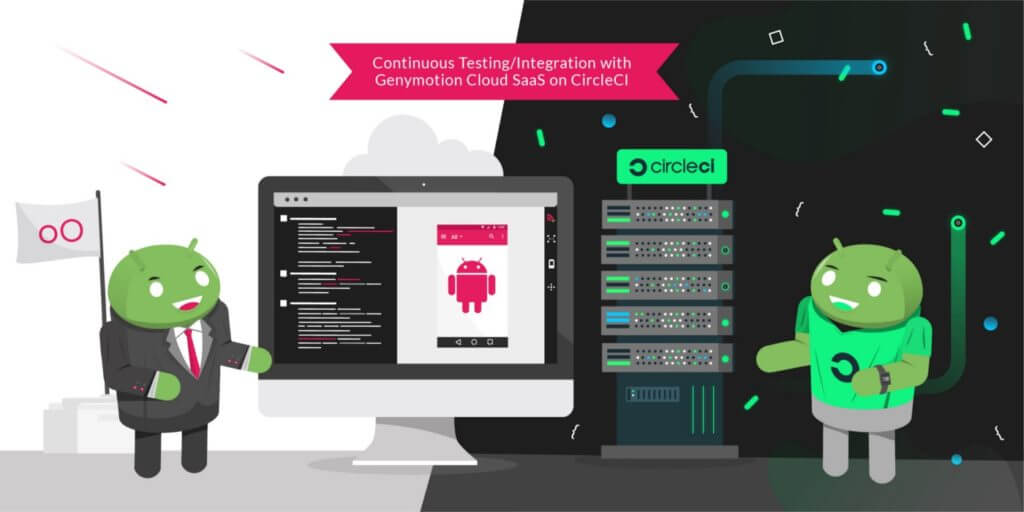
We are glad to announce that Genymotion Cloud SaaS is now available to Circle CI users for continuous testing! Efficiently testing mobile apps at every stage of the application lifecycle is challenging, even more with Android fragmented market. Many companies are adopting tools to help them create, automate and orchestrate tests on mobile devices. Among them are continuous integration and deployment (CI/CD) tools. Having a CI tool isn’t enough, we also need devices to run tests on. By partnering with CircleCI, we help providing the full continuous integration workflow. Genymotion Cloud SaaS provides Android virtual devices on the Cloud with various configurations and Android versions. CircleCI is a cloud continuous integration server to help teams get faster builds, shorter feedback lifecycles and simplified pipeline maintenance. The integration of Genymotion Cloud SaaS is now available on CircleCI as an Orb, so QA engineers can now easily integrate Genymotion Cloud in their test cases on CircleCI and reuse jobs, commands and executors to run their test on chosen devices. Please check out our complete tutorial for a step-by-step description of how to run your tests on our Android virtual devices within CircleCI!

Automated Testing, Use Cases

Starling Bank, Genymotion team up to release Android app faster

As online-only Starling Bank gains in popularity, it needed to keep updating its app. An increasingly more complex, feature-filled app requires a new way of testing. Genymotion’s cloud-based, automated, scalable testing environment allowed for nearly instant feedback the Starling Bank DevOps team. The Challenge   UK-based Starling Bank regularly maintains and improves its app, with a long history of daily releases. It uses continuous integration (CI) and continuous delivery (CD) methodologies.  Yet, as the app became more complex, the traditional way of testing—with phones plugged into a computer—simply couldn’t scale to meet the company’s need for speed. Starling Bank then turned to Genymotion solution to resolve this. The Solution   Once Starling Bank integrated Genymotion into its CI/CD pipeline, it quickly got results. Automated alerts built into the code pipeline informed the DevOps team if a piece of code broke or test coverage dropped. By removing the need to manage infrastructure, Genymotion empowers Starling Bank to focus on building better features.  The cloud-based approach means Starling can scale its fleet of virtual devices in seconds to test multiple features in parallel.  The Result   The cloud-based nature of Genymotion makes scaling up the testing pipeline a simple matter. “We’ve kept our speed as we’ve scaled up,” says Steven Newson, director of technology at Starling Bank. “We have always had a weekly release cadence, but automated testing ensures we can maintain it as our application becomes more capable and feature-rich.” “If you want to keep build time reasonable for quick feedback, it’s easy to add more instances to run tests for each build,” says Newson. “Using Genymotion on AWS, this process takes about 10 seconds. If we were managing test infrastructure on premises, it could take hours or days. This instant scalability is very useful.” Ready to accelerate testing of your Android apps? Check out Genymotion’s cloud-based solution at https://www.genymotion.com/.  

Automated Testing, Tutorials

Automated Testing 101: What is Automation Testing for Mobile (and What are the Benefits)?

Companies are always searching for ways to save money and time.  Automation  testing is a critical part of the Continuous Integration(CI) and Continuous Delivery(CD) processes of application development and incorporating a Shift Left approach with Automated Testing  is a great strategy to save money while producing a solid app.   Let’s cover some basics about Automated Testing, common terms and some of the benefits.   What is Automated Testing?   It refers to running tests in an automated fashion, instead of having test engineers execute each one manually. It saves a great deal of effort, and makes it possible to run more tests more quickly, leading to better software quality. You could also say that Automated Testing is the use of software tools (or automation code) and the power of machines to control the execution of tests, compare their outcomes, and report functions that would otherwise require manual testing activity.  Advantages of Automating Tests   Testing for mobile apps helps in identifying and significantly reducing the bugs during every stage of the lifecycle for an app’s development.  Automating tests brings additional advantages to the testing process including:  Simplifying test execution  Increasing speed of executing tests (test scripts) Increasing the amount of test coverage Improving the reliability of tests Shortening software development cycles Minimizing human interaction with testing, Eliminating boring tasks Reducing maintenance cost of testing Improving accuracy of software tests Saving time and money Developing software values Shift left process   Automated Testing Frameworks for Mobile   A test automation framework is a set of guidelines used to produce beneficial results of the automated testing activity. These guidelines may include: Common practices (test scripts) Assumptions for the desired outcome Test tools (software) and interfaces test libraries Coding standards/span>   Automation frameworks, when designed and implemented correctly, deliver frequent and stable automated test code. With a proper framework, the code is easier to maintain and often reusable. Types include:  Linear Scripting Framework: Recording and replaying test scripts in sequential (“linear”) fashion with little or no modification. Data-driven Framework: A constant source of test criteria (internal or external data) specifies the test scripts to run. Keyword-driven Framework: Tables on a spreadsheet specify the action of a test script based on a library of functions for an assigned keyword. Modular Testing Framework: Modules of an application under test are divided and tested with individual test scripts that can be combined for larger test scripts.  Hybrid Testing Framework: A combination of frameworks to leverage the strengths of each./span>   Frameworks for Mobile Automation   It is important to choose a  good mobile automation testing framework that works for your test needs  so that your test automation code is stable, maintainable and reusable. On the top of that framework, we can build our test cases. Mobile automation testing frameworks can be segregated by the operating system of the mobile device. We’re most interested in Android testing frameworks. Example Frameworks:  Appium Cucumber IU Automator 2 Espresso Robotium Our Twitter followers shared their favorites in this poll. Do you agree?  Continuous Integration Workflow   Continuous Integration (CI) as a practice that leads to significantly reduced integration problems and allows a team to develop cohesive software more rapidly (daily or even several times a day). One of the key benefits of integrating regularly is that you can detect errors quickly and locate them more easily. As each change introduced is typically small, pinpointing the specific change that introduced a defect can be done quickly. Automated tests are fundamental to this practice which leads to reduced risk, believable progress, and user feedback. Check back soon for our upcoming post on Automated Testing Pain Points and how to solve them! 

Genymotion meets Cloudbeat illustration.
CloudBeat, Partnership, Press Release

Genymotion and CloudBeat Team Up, Making Mobile-First Test Applications Easier for the QA Community

Today, Genymotion is announcing its integration with the revolutionary test automation intelligence platform, CloudBeat. For the first time, CloudBeat users in the QA space can scale their tests across all Genymotion Android virtual devices, saving time and increasing efficiency.  CloudBeat is a central hub for executing and analyzing automated tests in DevOps environment. CloudBeat seamlessly integrates with the most popular testing frameworks and CI tools, allowing to run large test sets with out of the box parallelization, test lab management, and failure root cause analysis  CloudBeat team has also developed a complementary open source project called Oxygen that allows to create Appium and Selenium tests in minutes and hours instead of days and weeks. With Oxygen IDE, less technical people can create, maintain and run mobile tests on tens and hundreds of devices.   As part of the integration, you will now be able to run your tests hassle-free on over 200 most popular Android virtual devices. Test runs can be triggered directly from CloudBeat or from your favorite CI tool. The platform will take care of building the test infrastructure, managing the devices and running the tests in parallel. Defects, device logs, performance metrics and test code errors are aggregated, and instantly available in one cohesive report.  Other features that testers can benefit from:  Tests can be synced and ran directly from your Git repository  No need to create a Master Slave in Jenkins or setup a complex parallel testing infrastructure All test results are aggregated and retained per build, environment, and project Spot defects, flaky tests and environment issues instantly with detailed test result reports   “We’re thrilled to be giving users the ability to scale their test cases to over 200 Android virtual devices,” Genymotion’s CEO, Timothy Danford states, “The integration with CloudBeat opens up the possibilities for the testing community to get their work done at speeds they never imagined before.” “The combination of CloudBeat platform and Genymotion Cloud takes the friction out of mobile automated testing, allowing to instantly run and analyze tests on hundreds of Android devices and screen resolutions in parallel,” said Nachum Dimer, CEO of CloudBeat. “Developers and testers can count on this integration supporting faster releases with higher quality than ever.”  Learn more about how to use CloudBeat with Genymotion in this brief video.        

Scroll to Top

Select Product Portal

SaaS Platform

Access to our SaaS solution and use virtual machines in the cloud on any web browsers.

Or

Or

Desktop Platform

Access to manage your Genymotion Desktop licenses, your invoices and account information.

How to get a quote for multiple Business Licenses?

  1. You need a Genymotion Desktop account. If you haven’t one yet, you can create it here.
  2. After creation and activation, or if you already have an account, follow this link.
  3. Add the number of desired licenses to your shopping cart and click “Continue to Billing”
  4. Add a shipping address, or select one if you already created one.
  5.  In the next page, click “Get a quote”:
    Payment details
  6. A quote will be automatically generated in PDF format.

Genymotion Device Image for Cloud providers
- Private Offer -

Genymotion Device On-premise
- Contact Us -

Genymotion SaaS
- Increase Maximum Simultaneous devices -

Genymotion SaaS Enterprise Plan
- Get a Quote -

Genymotion SaaS Premium Plan
- Get a Quote -

Personal Use - Free

Genymotion Desktop for personal use is not suitable for trial or POC: you will not get any assistance and some features will be disabled. If you have already selected “personal use” and wish to get a trial license, please contact our Sales at [email protected].

Technical support is not available with Genymotion Desktop free edition for personal use. For more details, please refer to Genymotion conditions of use (Personal Use).

The following features are not available in personal use mode:

Follow these steps to get Genymotion Desktop and activate personal use mode:

  1. Go to the Download page and get the latest version for your system.
  2. Follow the instructions from Genymotion Desktop quickstart guide to install Genymotion Desktop.
  3. Launch Genymotion and click CREATE to create an account. You should receive an activation email within an hour. If not, make sure to check your spam.
  4. After activating your account, return to Genymotion and log in with your credentials.
  5. Select personal use when prompted.
  6. Read Genymotion Desktop quickstart guide carefully to setup Genymotion for your needs.

Indie Plan Application Form

This plan is strictly reserved to individual workers (freelancers, self-employed).

Contact Sales
- Premium Plan -

Educational Plan Application Form

The Educational plan is restricted to:

  • schools, teachers or students who wish to use Genymotion Desktop for tuition
  • students who wish to use Genymotion Desktop for a school project

It is subject to valid proof (student card, teacher card, etc.)

Select a Cloud provider Marketplace