🤖 Power your dev and integration with AI skills for Genymotion!

Automated Testing

Automated Testing, Genymotion Cloud, Mobile Testing, Webinar

Webinar Recording – E2E testing of Android apps on Arm Virtual Devices

On January 19th we hosted a webinar with Oracle Cloud: we discussed mobile test automation strategy, and our teams did a detailed demonstration of how to use our Cloud devices based on Arm in the context of test automation. Our virtual devices have been available on Oracle Cloud for about 6 months and we’re receiving great feedback about how it’s helping our customers test at scale, while optimizing lead times and reducing cost. Arm virtual devices are best suited to offer a native experience to Android dev & devOps teams, and there has been a quick adoption of the product with also a few users switching from x86 cloud devices to Arm devices. To get to know more about the advantages of implementing on the same architecture through the use of Arm-based emulators, and to follow step-by-step a demo of the product, you can now watch the webinar recording: Webinar Recording And stay tuned for more tutorials and webinars!

Automated Testing, Bitrise, Continuous Integration, Genymotion Cloud, Mobile Testing

Continuous Testing with Genymotion Cloud SaaS now on Bitrise!

We are glad to announce that Genymotion Cloud SaaS is now available to Bitrise users for continuous testing! When it comes to testing mobile apps, especially in a highly Android dominant fragmented mobile market, it becomes challenging to perform quick and efficient tests. Mobile DevOps encourages the use of multiple mobile devices in the Cloud to tackle this challenge. With Genymotion Cloud SaaS, QA engineers can spawn many Android virtual devices in the Cloud in parallel and test at scale. With Bitrise, a Continuous Integration & Delivery platform dedicated to mobile apps, users can use a powerful UI to create workflows easily, which then can build, test and deploy an app and improve efficiency by setting up the whole mobile application dev lifecycle environment. Genymotion Cloud SaaS is now available on Bitrise, so QA engineers can now easily choose the Genymotion Cloud SaaS Android virtual devices to run their tests on them using any testing framework (Espresso, Appium and so on). No need to learn how to use the Genymotion Cloud command-line tool to automate the start/stop of the devices: everything can be handled in the UI.A complete tutorial is available here  

MoQuality integration illustration.
Automated Testing, Continuous Integration, Genymotion Cloud, gmsaas, Mobile Testing

Genymotion and MoQuality team up, making it easier together to visually create Appium tests and run on Android virtual devices in the Cloud

Today, Genymotion and MoQuality are excited to announce our partnership to launch the integration of the two mobile app test-automation platforms. This partnership solves some key challenges with test automation. Many app testers are not comfortable with scripting automated tests and find it challenging to setup a robust and reliable test infrastructure. A second challenge is the fragmentation of mobile devices in the market. It is becoming increasingly difficult to test on such a vast number of devices. Now, our users can easily create automated tests using MoQuality’s test authoring and Robo Testing tools and run them instantly on Genymotion’s cloud-based virtual devices. What is MoQuality? MoQuality, Inc is an Atlanta based provider of fast and reliable mobile app testing solutions driven by artificial intelligence which make test automation easier. MoQuality’s SaaS solution integrates an easy-to-use test authoring tool with test runs on both real and virtual mobile devices in the cloud and a dashboard to make your development workflow truly agile. MoQuality’s Robo Testing AI learns from user behavior from several apps and auto-explores each screen in the app and checks for crashes and UI issues. It increases your test coverage so that you can ship your app with confidence. Learn more about MoQuality.   Why use MoQuality and Genymotion together? This integration makes it easy to get started with test-automation for anyone who is new to Appium and other mobile test frameworks. It adds the capability for users to test their apps on various combinations of older devices and OS versions also which are unavailable in the market now but still are being used by many end-customers. Users can now use MoQuality’s test-authoring tools to create tests without writing any scripts, but also generate, edit and run Appium scripts on the fly. With the integration, it is now possible to directly run these tests on 200+ cloud-based virtual devices instantly. Test runs can be triggered directly from MoQuality or from your favorite CI tool. The MoQuality platform builds and maintains the required test infrastructure and dependencies including managing the devices and running the tests in parallel. The test run errors, device logs, UI issues, performance insights are aggregated, and instantly available in one comprehensive dashboard, which can be shared with the team to recreate and resolve the issues.   How to get started with test automation for mobile apps in minutes Sign up for a free trial on http://app.moquality.com Upload your Android .apk app file to MoQuality Create an automated test for your app using MoQuality’s test-authoring tools Configure a test run by choosing your app version, test, test data and devices available on the Genymotion cloud. (Find out more about Genymotion, or sign up for a Genymotion Cloud account to get started free with $50 worth of credits now.) View and share the test results on your MoQuality Dashboard. More details on www.docs.moquality.com   More benefits for the users Ease of use Create and maintain Appium tests visually. Use adb on virtual devices remotely. Integrate with your CI/CD tools. No test infrastructure maintenance required. Scalability Run these tests on hundreds of Android devices in parallel with a choice of thousands of devices configuration and Android versions from 4.4 to 9.0. Pay as per your usage. Additional test coverage for improved user-experience MoQuality’s Robo testing auto-checks the app for UI issues, layout consistency and marketplace compliance. Better team productivity Share visual test results with your team to reproduce and resolve issues faster.   “We are excited about this partnership as this integration supports our mission of helping app teams spend less time on repetitive QA tasks and focus more on improving the end-user experience”, says Shauvik Roy Choudhary, CEO and Co-Founder, MoQuality. “Genymobile’s mission is to use our passion for innovation to empower people to create remarkable mobile experiences for their customers. Partnerships such as this let us focus on the success of the mobile development and testing community to exceed their customer’s expectations. Leveraging our scalability in the cloud and tools such as those from MoQuality is a big step forward for the community,” say Tim Danford, CEO of Genymobile.

Automated Testing, Use Cases

Starling Bank, Genymotion team up to release Android app faster

As online-only Starling Bank gains in popularity, it needed to keep updating its app. An increasingly more complex, feature-filled app requires a new way of testing. Genymotion’s cloud-based, automated, scalable testing environment allowed for nearly instant feedback the Starling Bank DevOps team. The Challenge   UK-based Starling Bank regularly maintains and improves its app, with a long history of daily releases. It uses continuous integration (CI) and continuous delivery (CD) methodologies.  Yet, as the app became more complex, the traditional way of testing—with phones plugged into a computer—simply couldn’t scale to meet the company’s need for speed. Starling Bank then turned to Genymotion solution to resolve this. The Solution   Once Starling Bank integrated Genymotion into its CI/CD pipeline, it quickly got results. Automated alerts built into the code pipeline informed the DevOps team if a piece of code broke or test coverage dropped. By removing the need to manage infrastructure, Genymotion empowers Starling Bank to focus on building better features.  The cloud-based approach means Starling can scale its fleet of virtual devices in seconds to test multiple features in parallel.  The Result   The cloud-based nature of Genymotion makes scaling up the testing pipeline a simple matter. “We’ve kept our speed as we’ve scaled up,” says Steven Newson, director of technology at Starling Bank. “We have always had a weekly release cadence, but automated testing ensures we can maintain it as our application becomes more capable and feature-rich.” “If you want to keep build time reasonable for quick feedback, it’s easy to add more instances to run tests for each build,” says Newson. “Using Genymotion on AWS, this process takes about 10 seconds. If we were managing test infrastructure on premises, it could take hours or days. This instant scalability is very useful.” Ready to accelerate testing of your Android apps? Check out Genymotion’s cloud-based solution at https://www.genymotion.com/.  

Automated Testing, Tutorials

Automated Testing 101: What is Automation Testing for Mobile (and What are the Benefits)?

Companies are always searching for ways to save money and time.  Automation  testing is a critical part of the Continuous Integration(CI) and Continuous Delivery(CD) processes of application development and incorporating a Shift Left approach with Automated Testing  is a great strategy to save money while producing a solid app.   Let’s cover some basics about Automated Testing, common terms and some of the benefits.   What is Automated Testing?   It refers to running tests in an automated fashion, instead of having test engineers execute each one manually. It saves a great deal of effort, and makes it possible to run more tests more quickly, leading to better software quality. You could also say that Automated Testing is the use of software tools (or automation code) and the power of machines to control the execution of tests, compare their outcomes, and report functions that would otherwise require manual testing activity.  Advantages of Automating Tests   Testing for mobile apps helps in identifying and significantly reducing the bugs during every stage of the lifecycle for an app’s development.  Automating tests brings additional advantages to the testing process including:  Simplifying test execution  Increasing speed of executing tests (test scripts) Increasing the amount of test coverage Improving the reliability of tests Shortening software development cycles Minimizing human interaction with testing, Eliminating boring tasks Reducing maintenance cost of testing Improving accuracy of software tests Saving time and money Developing software values Shift left process   Automated Testing Frameworks for Mobile   A test automation framework is a set of guidelines used to produce beneficial results of the automated testing activity. These guidelines may include: Common practices (test scripts) Assumptions for the desired outcome Test tools (software) and interfaces test libraries Coding standards/span>   Automation frameworks, when designed and implemented correctly, deliver frequent and stable automated test code. With a proper framework, the code is easier to maintain and often reusable. Types include:  Linear Scripting Framework: Recording and replaying test scripts in sequential (“linear”) fashion with little or no modification. Data-driven Framework: A constant source of test criteria (internal or external data) specifies the test scripts to run. Keyword-driven Framework: Tables on a spreadsheet specify the action of a test script based on a library of functions for an assigned keyword. Modular Testing Framework: Modules of an application under test are divided and tested with individual test scripts that can be combined for larger test scripts.  Hybrid Testing Framework: A combination of frameworks to leverage the strengths of each./span>   Frameworks for Mobile Automation   It is important to choose a  good mobile automation testing framework that works for your test needs  so that your test automation code is stable, maintainable and reusable. On the top of that framework, we can build our test cases. Mobile automation testing frameworks can be segregated by the operating system of the mobile device. We’re most interested in Android testing frameworks. Example Frameworks:  Appium Cucumber IU Automator 2 Espresso Robotium Our Twitter followers shared their favorites in this poll. Do you agree?  Continuous Integration Workflow   Continuous Integration (CI) as a practice that leads to significantly reduced integration problems and allows a team to develop cohesive software more rapidly (daily or even several times a day). One of the key benefits of integrating regularly is that you can detect errors quickly and locate them more easily. As each change introduced is typically small, pinpointing the specific change that introduced a defect can be done quickly. Automated tests are fundamental to this practice which leads to reduced risk, believable progress, and user feedback. Check back soon for our upcoming post on Automated Testing Pain Points and how to solve them! 

Automated Testing, Genymotion Cloud, Press Release

Genymotion Integrates Applitools Visual AI to Help Android Engineers Scale Automated Visual Tests Across Every Android Device

SAN FRANCISCO, June 13, 2019  — Genymotion, an industry-leading provider of cloud-based Android emulation and VMI solutions, today announced the integration of Applitools, the leading provider of AI Powered end-to-end Visual Testing and Monitoring, to allow users to scale automated visual testing through the Genymotion Cloud. The new integration is a perfect union of these two offerings, making it easy for Applitools users to scale their visual tests using Genymotion Cloud virtual devices, and for Genymotion’s eight million Android developers and QA professionals to add AI Powered automated visual testing to its cloud-based emulation and CDI solution for testing on all Android devices at the same time. The integration will be demonstrated at the 2019 Appium Conference, in Bengaluru, India. Genymotion and Applitools are both sponsors of the Appium Conference, held June 13-15, 2019.  With AI Powered Automated Visual Testing integrated into the Genymotion Cloud, engineers can parallelize app tests across all Android devices at once, in order to detect all bugs — including visual and functional bugs identified via Visual AI — early and easily in the test cycle.  Digital Transformation has created the need for QA engineers to test their mobile applications on a large number of Android devices and screen sizes quickly, which is hard to scale with actual physical devices. Using Genymotion Cloud in combination with Applitools’ automated visual testing suite, Android developers speed up their parallel tests, accelerate releases and simultaneously improving the quality of their Android applications.   Getting Started is Easy: Write your Appium tests using the Applitools SDK for Appium to take screenshots for visual testing Launch Genymotion Cloud devices using their command line interface Run your Appium scripts to run visual tests  To get started with Genymotion and the Applitools extension, visit (https://cloud.geny.io/).  Genymotion Cloud is a powerful Android emulator on cloud to run and scale automated tests, and reduce time-to-market of apps. With flexible per-minute pricing, QA professionals and test automation engineers have the ability to manage their testing costs by scaling up or down the number of devices. Register on Genymotion Cloud to try its solution for free, no contract. “Applitools is the clear leader in the Automated Visual Testing space as a result of its industry-leading Visual AI technology, and we are excited that their suite of application visual management solutions is now available to Genymotion Cloud users,” said Tim Danford, CEO at Genymotion. “Engineers who need to scale their testing can now take advantage of the opportunity to save time and get their product to market quicker than ever before.” Learn how to run Applitools visual tests on Genymotion Cloud virtual devices Applitools helps developers, test automation engineers, QA professionals, and DevOps teams automatically run visual tests at scale across every app, browser, OS, and screen size through its AI powered end-to-end visual testing and monitoring solution. “I am glad that these two industry-leading technologies have integrated in order to bring Android Developers the value of automated visual testing combined with the Genymotion Cloud,” said Gil Sever, CEO of Applitools. “Visual AI is the only way for developers to visually validate every screen of the native Android applications quickly and accurately to support faster releases at a higher quality than ever before.”   Learn more about how to use Genymotion Cloud, Appium, and Applitools to visually test Android apps. “I’m happy to see Applitools and Genymotion working together to lower the barrier to entry for mobile automated visual testing,” said Jonathan Lipps, Architect of the Appium project and Founder of AppiumPro. “As someone who’s focused on making it easier for the world to achieve all kinds of mobile automation, I appreciate how this integration will put easy distributed visual testing within the grasp of every tester using tools they’re already familiar with.”    Join a webinar presented by Jonathan Lipps titled, “Easy Distributed Visual Testing for Mobile Apps and Sites” and learn how to easily parallelize your tests across all Android devices at once, in order to quickly detect bugs and spend less time on test runs. The webinar will take place on Tuesday, July 9 at 10 am PDT (1 pm EDT / 6 pm UK). To register, visit: (https://rebrand.ly/GM-APP-webinar-w-J-Lipps )   About Genymotion Founded in 2011, Genymotion has offices in Paris, Lyon and San Francisco. Their flagship product, Genymotion Cloud is available as SaaS or PaaS on popular marketplaces like AWS, GCP, Microsoft Azure and Alibaba Cloud. Genymotion Cloud enables Android app developers to scale their automated tests and reduce the time-to-market of their apps. Their Desktop solution, Genymotion Desktop Android Emulator, has over 8 million users from over 100 countries and continues to be the most popular Android application development and test solution.  Genymotion is an integral part of testing tool stack at innovative tech companies including Facebook and Microsoft, Twitter, HBO, and more. To learn more, please visit www-staging.genymotion.com.     About Applitools  Applitools provides a state-of-the-art AI-powered end-to-end visual testing and monitoring platform for Developers, Test Automation, Manual QA, DevOps, and Digital Transformation teams. Our Visual AI technology transforms how organizations approach quality by ensuring web and mobile applications appear and operate exactly as designed across any device, browser, OS, or native application. Applitools is fast, quick to integrate with any DevOps environment, easy to use by anyone on the team, and scalable to any size organization looking to increase speed and quality with every release – an outcome necessary to compete in today’s challenging business environment.    Hundreds of companies from a range of verticals, including Fortune 100 firms in software, banking, insurance, retail, and pharmaceuticals, use Applitools to deliver the best possible digital experiences to their customers. Applitools is headquartered in San Mateo, California, with an R&D center in Tel Aviv, Israel. For more information, please visit applitools.com. 

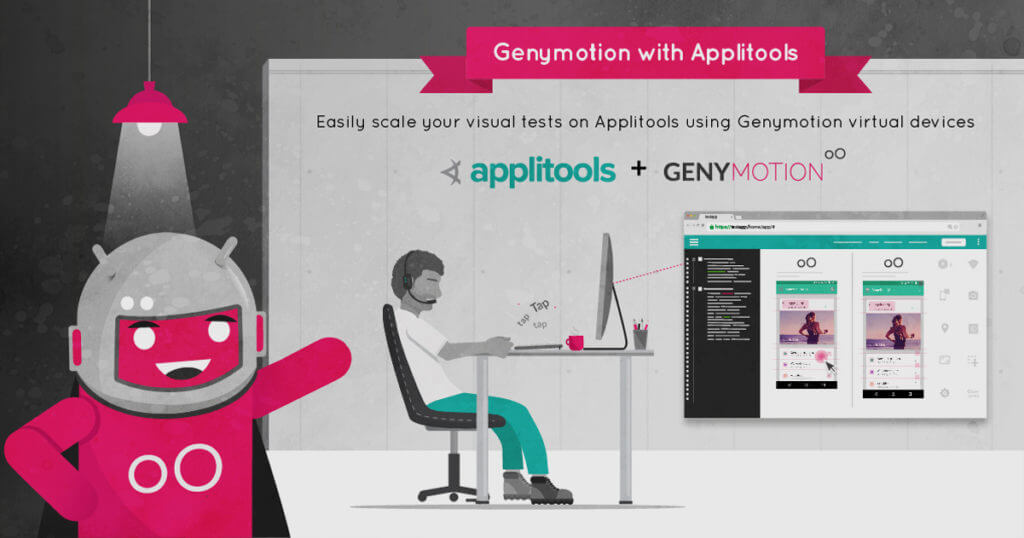
Genymotion & Applitools integration illustration
Automated Testing, Genymotion, Genymotion Cloud

Run Applitools Visual Tests on Genymotion Cloud Virtual Devices

As more and more mobile QA teams are getting rid of manual testing, the need for automated testing is growing. Most teams focus their test automation on Unit, API, Integration, and Functional UI. But an important aspect of your mobile automation testing is Visual testing. Visual UI Testing is critical to catching unintended visual bugs while updating UI components. Visual bugs are difficult to find using functional tests, which focus on identifying bugs in your workflow. If you haven’t tried visual testing before, you’ll be surprised how many visual bugs you may find with an automated visual testing tool like Applitools. And don’t even think of manually finding visual bugs as it is painfully difficult to compare hundreds of images of your mobile app. Applitools provides AI-powered visual regression testing of applications and allows you to test cross-platform easily to identify visual bugs. It focuses on the visual aspects of your app and plays a major role in exposing the visual differences between baseline snapshots and both current and future snapshots. Its AI powered end-to-end visual testing and monitoring solution helps developers, test automation engineers, QA professionals, and DevOps teams automatically run visual tests at scale across every app, browser, OS, and screen size. Applitools allows developers to verify that each UI element in each page appears in the right color, shape, position, and size and that it does not overlap or hide other UI elements.   What are visual bugs? I’m sure you’ve all played spot-the-difference games in your childhood, and felt like a genius when you spotted all the differences in under a minute. Those games are fun! Well, Applitools’ visual AI does the same job of finding those visual differences (or bugs) in your mobile or web apps at a much-accelerated speed. See for yourself here. Here are some examples of visual bugs: Text blocking buy button on Southwest Airlines website (Source: Applitools) Search box blocking shopping cart on ThredUp Website (Source: Applitools)   Fragmented Android Market Due to the fragmentation of Android devices market, Android apps may visually behave differently on different devices and therefore, visual testing becomes even more critical for Android apps. With time-to-market becoming an important factor in improving customer experience, there is even more pressure on the QA teams to run these tests across a vast number of devices in the easiest way possible. Testing mobile apps on physical devices or using device farms is cumbersome, slow and expensive to manage and is often a deterrent to scaling their tests on as many devices as possible. To solve that problem, Applitools teamed up with Genymotion to making parallel visual testing far easier for QA engineers. Genymotion Cloud is a powerful Android emulator on the cloud to run your Appium tests and reduce app’s time-to-market. With flexible per-minute pricing, engineers have the ability to manage their testing costs by scaling up or down the number of devices. With Genymotion Cloud, testers at any level can sign up here and try out our solution on-demand, without a contract.   Applitools and Genymotion Cloud Our teams decided to work together with Applitools to solve this common problem that users were facing: Test the visual portions of an app on all the Android devices at the same time. Engineers can parallelize their visual UI tests using Applitools and Appium across all Android Genymotion Cloud virtual devices at once. This allows them to detect bugs as soon as possible and spend less time on test runs. QA engineers appreciate the ability to test their mobile applications on a large number of Android devices and screen sizes which is hard to scale with actual physical devices. Using Genymotion cloud virtual devices will speed up their parallel tests even faster. The collaboration between Applitools and Genymotion cloud allows for faster visual comparison on more configurations while also seeing the previous builds. This article will show you the steps to take in order to parallelize your Appium tests to perform visual testing and run those tests across a number of Android devices on Genymotion Cloud. Running Appium visual tests using Applitools on Genymotion Cloud Write your Appium tests using the Applitools SDK for Appium for taking screenshots for visual testing. You’ll use the udid capability in your tests to define on which Genymotion device you’ll run the tests. This can be known in advance as for Genymotion devices, adb serial is localhost:XXXXX where XXXXX is a port number that can be defined in advance (cf gmsaas below) Launch Genymotion Cloud devices via gmsaas command line. Read here. Run visual tests across Genymotion Cloud devices using Appium   For in-depth information on setting up Applitools and Genymotion Cloud devices, and running those tests, we recommend you to read this step-by-step tutorial. We’ve also put together video tutorials on how to run Applitools visual tests using Genymotion devices. Try it out and let us know how it goes.   More about Genymotion and Applitools Find out more about Genymotion, or sign up for a Genymotion Cloud account to get started free with $50 worth of credits now.   Find out more about Applitools. You can read their thoughts on using Genymotion, Appium & Applitools to test Android apps, request a demo, sign up for a free account, and view their Appium tutorial.

Automated Testing, Genymotion Cloud, Genymotion Releases

Genymotion Cloud Is Out! – Here’s What You Need To Know

We take the mobile application lifecycle bull by the horns   We are glad to announce that Genymotion Cloud is Generally Available! Which means you can now enjoy our leading Android Emulator in a browser. But there’s more! We are ready to put in your hands for the very first time “Test Automation” features, to the great delight of your Android application users. Here’s what it provides. Genymotion Cloud brings app testing to a whole new level   With Genymotion Cloud Automation features, we are solving it for many constituencies within an enterprise. 1. Developers will have a seamless coding and testing experience. Their current development environment tools won’t change thanks to Genymotion adb tunnel. They will still be able to develop test cases with Java API and seamlessly automate them with Command line tool or with Genymotion Gradle plugin. Developers will commit their code without worrying about breaking the build. 2. QA Engineers will now feel even more empowered while providing their approval to release an application. With Genymotion Cloud, they will be in the driver’s seat. No compromise in setting up test bed. Till now, either they used to curtail their test cases to fit the hardware and software availability or take longer to wave that green flag. With Genymotion Cloud Automation features, they will have all the freedom on this planet to go as deep and as wide in their test cases as they like. They will release with confidence. 3. IT Engineers will love it because we are enabling them to do more with less. Now they can focus on mission critical IT tasks. This is music to CIOs’ ears. At the end, who wins is not Development, not QA and not even IT. It is the end user of the mobile application that got developed and released with utmost confidence. He is going to receive the best end user experience. Goes without saying, that is going to guarantee a customer for life for the enterprise adopting Genymotion Cloud. What’s next?   We have been working on Genymotion Cloud for a while now and yet there’s still a lot of goodness to come. Collaboration features will be implemented in the next few months and will enable live sharing of virtual devices and apk files. Our automation features are just the beginning! So go ahead, embrace Genymotion Cloud with confidence and stay tuned for more details in coming weeks. We can’t wait to share more.   GET ON BOARD

Scroll to Top

Select Product Portal

SaaS Platform

Access to our SaaS solution and use virtual machines in the cloud on any web browsers.

Or

Or

Desktop Platform

Access to manage your Genymotion Desktop licenses, your invoices and account information.

How to get a quote for multiple Business Licenses?

  1. You need a Genymotion Desktop account. If you haven’t one yet, you can create it here.
  2. After creation and activation, or if you already have an account, follow this link.
  3. Add the number of desired licenses to your shopping cart and click “Continue to Billing”
  4. Add a shipping address, or select one if you already created one.
  5.  In the next page, click “Get a quote”:
    Payment details
  6. A quote will be automatically generated in PDF format.

Genymotion Device Image for Cloud providers
- Private Offer -

Genymotion Self-hosted (on-premises)
- Contact Us -

Genymotion SaaS
- Increase Maximum Simultaneous devices -

Genymotion SaaS Enterprise Plan
- Get a Quote -

Genymotion SaaS Premium Plan
- Get a Quote -

Personal Use - Free

Genymotion Desktop for personal use is not suitable for trial or POC: you will not get any assistance and some features will be disabled. If you have already selected “personal use” and wish to get a trial license, please contact our Sales at [email protected].

Technical support is not available with Genymotion Desktop free edition for personal use. For more details, please refer to Genymotion conditions of use (Personal Use).

The following features are not available in personal use mode:

Follow these steps to get Genymotion Desktop and activate personal use mode:

  1. Go to the Download page and get the latest version for your system.
  2. Follow the instructions from Genymotion Desktop quickstart guide to install Genymotion Desktop.
  3. Launch Genymotion and click CREATE to create an account. You should receive an activation email within an hour. If not, make sure to check your spam.
  4. After activating your account, return to Genymotion and log in with your credentials.
  5. Select personal use when prompted.
  6. Read Genymotion Desktop quickstart guide carefully to setup Genymotion for your needs.

Contact Sales
- Premium Plan -

Select a Cloud provider Marketplace