🤖 Power your dev and integration with AI skills for Genymotion!

Continuous Integration

CircleCI, Continuous Integration, Genymotion Cloud, Tutorials

Genymotion Cloud Android Devices now available on CircleCI

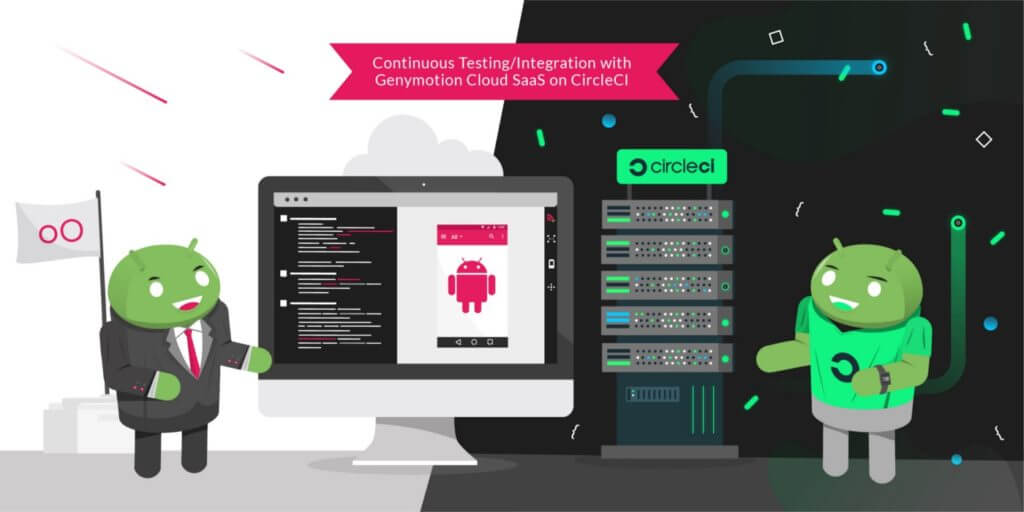
We are glad to announce that Genymotion Cloud SaaS is now available to Circle CI users for continuous testing! Efficiently testing mobile apps at every stage of the application lifecycle is challenging, even more with Android fragmented market. Many companies are adopting tools to help them create, automate and orchestrate tests on mobile devices. Among them are continuous integration and deployment (CI/CD) tools. Having a CI tool isn’t enough, we also need devices to run tests on. By partnering with CircleCI, we help providing the full continuous integration workflow. Genymotion Cloud SaaS provides Android virtual devices on the Cloud with various configurations and Android versions. CircleCI is a cloud continuous integration server to help teams get faster builds, shorter feedback lifecycles and simplified pipeline maintenance. The integration of Genymotion Cloud SaaS is now available on CircleCI as an Orb, so QA engineers can now easily integrate Genymotion Cloud in their test cases on CircleCI and reuse jobs, commands and executors to run their test on chosen devices. Please check out our complete tutorial for a step-by-step description of how to run your tests on our Android virtual devices within CircleCI!

Automated Testing, Bitrise, Continuous Integration, Genymotion Cloud, Mobile Testing

Continuous Testing with Genymotion Cloud SaaS now on Bitrise!

We are glad to announce that Genymotion Cloud SaaS is now available to Bitrise users for continuous testing! When it comes to testing mobile apps, especially in a highly Android dominant fragmented mobile market, it becomes challenging to perform quick and efficient tests. Mobile DevOps encourages the use of multiple mobile devices in the Cloud to tackle this challenge. With Genymotion Cloud SaaS, QA engineers can spawn many Android virtual devices in the Cloud in parallel and test at scale. With Bitrise, a Continuous Integration & Delivery platform dedicated to mobile apps, users can use a powerful UI to create workflows easily, which then can build, test and deploy an app and improve efficiency by setting up the whole mobile application dev lifecycle environment. Genymotion Cloud SaaS is now available on Bitrise, so QA engineers can now easily choose the Genymotion Cloud SaaS Android virtual devices to run their tests on them using any testing framework (Espresso, Appium and so on). No need to learn how to use the Genymotion Cloud command-line tool to automate the start/stop of the devices: everything can be handled in the UI.A complete tutorial is available here  

MoQuality integration illustration.
Automated Testing, Continuous Integration, Genymotion Cloud, gmsaas, Mobile Testing

Genymotion and MoQuality team up, making it easier together to visually create Appium tests and run on Android virtual devices in the Cloud

Today, Genymotion and MoQuality are excited to announce our partnership to launch the integration of the two mobile app test-automation platforms. This partnership solves some key challenges with test automation. Many app testers are not comfortable with scripting automated tests and find it challenging to setup a robust and reliable test infrastructure. A second challenge is the fragmentation of mobile devices in the market. It is becoming increasingly difficult to test on such a vast number of devices. Now, our users can easily create automated tests using MoQuality’s test authoring and Robo Testing tools and run them instantly on Genymotion’s cloud-based virtual devices. What is MoQuality? MoQuality, Inc is an Atlanta based provider of fast and reliable mobile app testing solutions driven by artificial intelligence which make test automation easier. MoQuality’s SaaS solution integrates an easy-to-use test authoring tool with test runs on both real and virtual mobile devices in the cloud and a dashboard to make your development workflow truly agile. MoQuality’s Robo Testing AI learns from user behavior from several apps and auto-explores each screen in the app and checks for crashes and UI issues. It increases your test coverage so that you can ship your app with confidence. Learn more about MoQuality.   Why use MoQuality and Genymotion together? This integration makes it easy to get started with test-automation for anyone who is new to Appium and other mobile test frameworks. It adds the capability for users to test their apps on various combinations of older devices and OS versions also which are unavailable in the market now but still are being used by many end-customers. Users can now use MoQuality’s test-authoring tools to create tests without writing any scripts, but also generate, edit and run Appium scripts on the fly. With the integration, it is now possible to directly run these tests on 200+ cloud-based virtual devices instantly. Test runs can be triggered directly from MoQuality or from your favorite CI tool. The MoQuality platform builds and maintains the required test infrastructure and dependencies including managing the devices and running the tests in parallel. The test run errors, device logs, UI issues, performance insights are aggregated, and instantly available in one comprehensive dashboard, which can be shared with the team to recreate and resolve the issues.   How to get started with test automation for mobile apps in minutes Sign up for a free trial on http://app.moquality.com Upload your Android .apk app file to MoQuality Create an automated test for your app using MoQuality’s test-authoring tools Configure a test run by choosing your app version, test, test data and devices available on the Genymotion cloud. (Find out more about Genymotion, or sign up for a Genymotion Cloud account to get started free with $50 worth of credits now.) View and share the test results on your MoQuality Dashboard. More details on www.docs.moquality.com   More benefits for the users Ease of use Create and maintain Appium tests visually. Use adb on virtual devices remotely. Integrate with your CI/CD tools. No test infrastructure maintenance required. Scalability Run these tests on hundreds of Android devices in parallel with a choice of thousands of devices configuration and Android versions from 4.4 to 9.0. Pay as per your usage. Additional test coverage for improved user-experience MoQuality’s Robo testing auto-checks the app for UI issues, layout consistency and marketplace compliance. Better team productivity Share visual test results with your team to reproduce and resolve issues faster.   “We are excited about this partnership as this integration supports our mission of helping app teams spend less time on repetitive QA tasks and focus more on improving the end-user experience”, says Shauvik Roy Choudhary, CEO and Co-Founder, MoQuality. “Genymobile’s mission is to use our passion for innovation to empower people to create remarkable mobile experiences for their customers. Partnerships such as this let us focus on the success of the mobile development and testing community to exceed their customer’s expectations. Leveraging our scalability in the cloud and tools such as those from MoQuality is a big step forward for the community,” say Tim Danford, CEO of Genymobile.

Continuous Integration, Genymotion, Gradle Plugin, Java API

Continuous Integration with Genymotion

  What is the main goal of Continuous Integration? CI (Continuous Integration) prevents integration problems by pushing smaller code changes more often. CI is meant to be used along with automated unit tests. That’s where Genymotion comes into play One of Genymotion’s key features is its Gradle Plugin which allows you to combine the Gradle build system with Genymotion. This allows you to declare the virtual devices you want to start prior to testing. How does it work? To use Genymotion on a continuous integration server, you automate the launch via the Gradle plugin. This tool will simply create, configure and launch devices automatically, before your tests run. Unit tests are run on an integration server like Jenkins which connects to Genymotion, installs the apps inside the virtual devices and launches tests using Genymotion Virtual Machines. For example, one client, has a server instance, running specific tests with sensors, telephony and SMS/GPS with an undetermined number of Virtual Machines. Their need to have multiple and varied custom configurations for testing on demand is met by Genymotion. Bottom line Our Android Emulator Genymotion can be used to integrate elements of your testing scheme and validate your code. You can reset and reuse virtual machines easily and rapidly. With components such as Gradle, Android Studio & Eclipse plugins, command line tools and a Java API, Genymotion stands out as a powerful and robust solution for testing and integration. Watch our webinar and get more practical tips

Scroll to Top

Select Product Portal

SaaS Platform

Access to our SaaS solution and use virtual machines in the cloud on any web browsers.

Or

Or

Desktop Platform

Access to manage your Genymotion Desktop licenses, your invoices and account information.

How to get a quote for multiple Business Licenses?

  1. You need a Genymotion Desktop account. If you haven’t one yet, you can create it here.
  2. After creation and activation, or if you already have an account, follow this link.
  3. Add the number of desired licenses to your shopping cart and click “Continue to Billing”
  4. Add a shipping address, or select one if you already created one.
  5.  In the next page, click “Get a quote”:
    Payment details
  6. A quote will be automatically generated in PDF format.

Genymotion Device Image for Cloud providers
- Private Offer -

Genymotion Self-hosted (on-premises)
- Contact Us -

Genymotion SaaS
- Increase Maximum Simultaneous devices -

Genymotion SaaS Enterprise Plan
- Get a Quote -

Genymotion SaaS Premium Plan
- Get a Quote -

Personal Use - Free

Genymotion Desktop for personal use is not suitable for trial or POC: you will not get any assistance and some features will be disabled. If you have already selected “personal use” and wish to get a trial license, please contact our Sales at [email protected].

Technical support is not available with Genymotion Desktop free edition for personal use. For more details, please refer to Genymotion conditions of use (Personal Use).

The following features are not available in personal use mode:

Follow these steps to get Genymotion Desktop and activate personal use mode:

  1. Go to the Download page and get the latest version for your system.
  2. Follow the instructions from Genymotion Desktop quickstart guide to install Genymotion Desktop.
  3. Launch Genymotion and click CREATE to create an account. You should receive an activation email within an hour. If not, make sure to check your spam.
  4. After activating your account, return to Genymotion and log in with your credentials.
  5. Select personal use when prompted.
  6. Read Genymotion Desktop quickstart guide carefully to setup Genymotion for your needs.

Contact Sales
- Premium Plan -

Select a Cloud provider Marketplace