gmsaas 1.7.1 is out!
Main changes: fix gmsaas when system temp directory is mounted on a separate partition. For more details, check the release notes.

Main changes: fix gmsaas when system temp directory is mounted on a separate partition. For more details, check the release notes.
We are delighted to announce that Android 11 (x86) image has just been released for Genymotion SaaS! And with it, brand new default recipes have been added: Custom Phone – Android 11 Custom Tablet – Android 11 Google Pixel 3a – Android 11 Make sure to check it out on your Genymotion SaaS dashboard!

On January 19th we hosted a webinar with Oracle Cloud: we discussed mobile test automation strategy, and our teams did a detailed demonstration of how to use our Cloud devices based on Arm in the context of test automation. Our virtual devices have been available on Oracle Cloud for about 6 months and we’re receiving great feedback about how it’s helping our customers test at scale, while optimizing lead times and reducing cost. Arm virtual devices are best suited to offer a native experience to Android dev & devOps teams, and there has been a quick adoption of the product with also a few users switching from x86 cloud devices to Arm devices. To get to know more about the advantages of implementing on the same architecture through the use of Arm-based emulators, and to follow step-by-step a demo of the product, you can now watch the webinar recording: Webinar Recording And stay tuned for more tutorials and webinars!
You may have heard of the Log4j security vulnerability and you have concerned whether it impacts our products ? ? Well, don’t worry! We confirm that none of Genymotion Cloud products, SaaS or Device Image, are impacted by this vulnerability ✅
Genymotion is happy to announce that our Virtual Devices will be available on ARM-based servers this year! Android teams will be able to seamlessly develop, test, and deploy applications on the same processor architecture as their ‘target’ mobile processor SOC, eliminating the need for cross-development and translation of x86 and Arm instruction sets. Through enhanced compatibility compared with x86 servers, both developers and DevOps / QA teams will benefit from: – Higher performance – Lower complexity Which in turn will reduce costs and speed time-to-market. More specifically, Android teams will be able to cover more code with more tests on virtual devices running on native Arm processors, reducing the testing time required to push to production. Currently, we are seeing as much as three to five times higher density and higher streaming quality on this generation of ARM-based servers. Android In the Cloud (AIC) is hence a natural workload on ARM-based servers to showcase the benefits of ARM processors with no requirement for recompilation or translation of the software. We’ll keep you posted as our first Virtual Devices get published on ARM, and as usual, are looking forward to hearing your feedbacks! Here is our full Press Release.
During these times of isolation, we all face the challenge of remote and isolated working. One of the challenges we face is the differences between everyone’s technical setups, at home and at the office. Genymotion is an Android virtual devices platform that can be used both as an Android In the Cloud (AIC) and as a desktop software. Its unified technical stack and user experience ensures seamless collaboration between team members, and ability to work from anywhere in the world. Most Genymotion users know the desktop version of Genymotion, but did you know that Genymotion is not just a brand with different products? It is actually a platform that allows users and organizations to centralize and share their Android virtualisation needs. Your usual Android work environment Even when respecting good practices and standardized environments, it is hard to control everyone’s variation and deviation. In the case of Android applications development and testing there are a couple of challenges. Let’s first identify the different environments that should be standardized: Local testing environment: virtual devices or real devices, on or connected to a developer’s environment (i.e: computer). Continuous Integration environment: continuous testing and more generally all forms of hook based process (like post commit hooks). QA environment: testing frameworks and tools that are executing tests written by QA engineers or generated by click and record tools in a virtual environment for checking before being pushed to CI environment Collaboration environment: specific use cases need to bring the standardized environments they use to their remote workers or customers: support center / help desk, Android app demo, training on Android apps All these environments have in common the need for a unified, centralized distribution of the devices. While Genymotion cannot help with real devices yet, it can definitely solve most of the issues related to collaboration in a virtualized environment. Now it’s time to see how. Your standard environment with Genymotion Cloud First step is to go to Genymotion Cloud. Make sure you created your free account. The free account comes with 60 minutes of virtualisation, which is more than enough to test everything we’ve suggested in that article! Device creation When you log in, you are taken to the “Default templates” section of the cloud app. This is where you will find all the default templates for new virtual devices. The section you are really looking for is the “Templates” one. This is where your own virtual devices templates are organized. Let’s see how we do that. First take a default template, I’ll choose a Google Pixel 3 XL on Android 9. Spin that device by clicking the contextual menu (the 3 dots) and “Start”. Once it’s booted, you can install apps or upload files by dragging and dropping them on the virtual device, you can choose to install the Open GApps through our dedicated widget, etc. In short: you can prepare the device for the task ahead and make it ready to share. When you are satisfied with your virtual device, save it! Use the “Save as” menu entry from the contextual menu. Give it a name allowing easy identification from your team. From here, we have a couple of options to share our virtual device. Live sharing Starting with the most obvious one: live sharing your virtual device. This feature is suitable for demo (at the end of a sprint), live debugging or brainstorming, for support centers, etc. It allows you to immediately share a web access to your virtual device through a live session. To start a live session click on the “live session” button in the contextual menu. When in a live session the UI changes and lets you invite people across (or outside of) your organisation. All of them will be able to interact with your virtual device, making it a great tool for sharing and reviewing projects. It is also extremely helpful with support centers and training centers. To stop your live session just click the “stop” button. Template sharing Template sharing is the swiss army knife of collaboration. Sharing a template is extremely simple as it is built into the platform. Once a virtual device is created use the contextual menu to share it with team members. The sharing screen allows you to invite others to use your virtual device. Once invited they can access the VD through a dedicated link automatically sent by the platform. A word of advice though: be careful with sharing the link to a device while on a metered plan as the shared resources count as your usage (i.e eat your minutes). You can think of a VD on Genymotion Cloud as a Google Drive document: it’s yours but you can share it with others. The owner is the only one that can save changes into the template. You might wonder how is that related to Genymotion, the desktop application. Well, your freshly shared template is immediately available in the desktop application to you and the people you shared it with! To access it simply click the device creation button (big white plus sign in a pink circle), and look for the sharing source. From here, just select the desired template and click Next. The template is obviously fully customizable. Boot up the device and voilà! You have exactly the same device both in the Cloud: And locally: Of course all of these devices can be interacted with through the gmsaas command line tools. Their usage is similar and they allow for the same kind of operations. They allow for simple sharing and integration with all sorts of other platforms or tools, including: – Most popular IDEs: Android Studio, Unity Editor, etc. – Continuous Integration tools: Terraform, CircleCI, Bitrise, etc. – Automation testing frameworks: Appium, Espresso, etc. – Docker Moreover thanks to our own implementation of ADBcloud, your cloud instances can access your protected / private infrastructure in a fast and secure way. This allows for development and testing to take
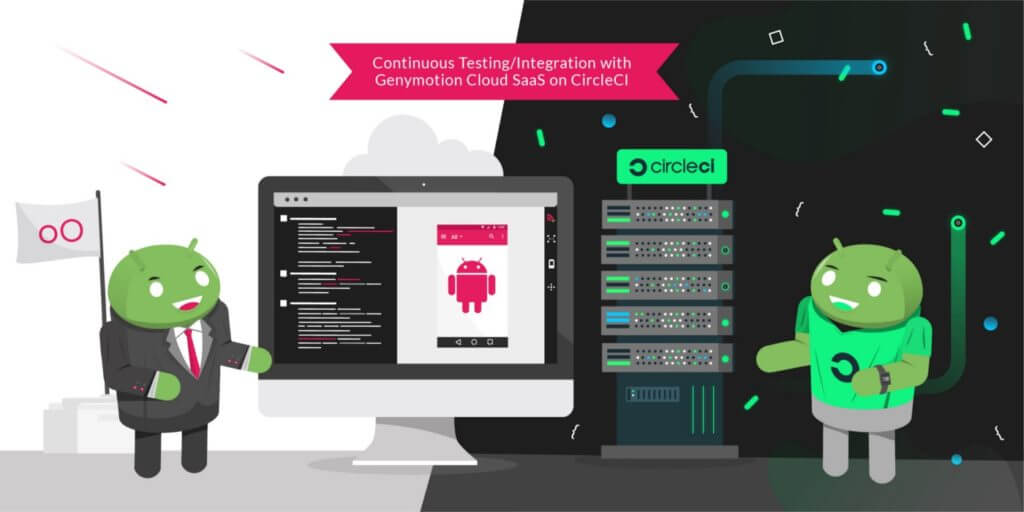
We are glad to announce that Genymotion Cloud SaaS is now available to Circle CI users for continuous testing! Efficiently testing mobile apps at every stage of the application lifecycle is challenging, even more with Android fragmented market. Many companies are adopting tools to help them create, automate and orchestrate tests on mobile devices. Among them are continuous integration and deployment (CI/CD) tools. Having a CI tool isn’t enough, we also need devices to run tests on. By partnering with CircleCI, we help providing the full continuous integration workflow. Genymotion Cloud SaaS provides Android virtual devices on the Cloud with various configurations and Android versions. CircleCI is a cloud continuous integration server to help teams get faster builds, shorter feedback lifecycles and simplified pipeline maintenance. The integration of Genymotion Cloud SaaS is now available on CircleCI as an Orb, so QA engineers can now easily integrate Genymotion Cloud in their test cases on CircleCI and reuse jobs, commands and executors to run their test on chosen devices. Please check out our complete tutorial for a step-by-step description of how to run your tests on our Android virtual devices within CircleCI!
We are glad to announce that Genymotion Cloud SaaS is now available to Bitrise users for continuous testing! When it comes to testing mobile apps, especially in a highly Android dominant fragmented mobile market, it becomes challenging to perform quick and efficient tests. Mobile DevOps encourages the use of multiple mobile devices in the Cloud to tackle this challenge. With Genymotion Cloud SaaS, QA engineers can spawn many Android virtual devices in the Cloud in parallel and test at scale. With Bitrise, a Continuous Integration & Delivery platform dedicated to mobile apps, users can use a powerful UI to create workflows easily, which then can build, test and deploy an app and improve efficiency by setting up the whole mobile application dev lifecycle environment. Genymotion Cloud SaaS is now available on Bitrise, so QA engineers can now easily choose the Genymotion Cloud SaaS Android virtual devices to run their tests on them using any testing framework (Espresso, Appium and so on). No need to learn how to use the Genymotion Cloud command-line tool to automate the start/stop of the devices: everything can be handled in the UI.A complete tutorial is available here
Today Genymotion Cloud SaaS offers a new plan to make application developers, QA testers, support agents, gamers, well, all Android users’ lives even easier. For only $0.05 per minute per device you can run Android devices in the Cloud. Create your account now and get 60 minutes of running time for free. No commitments, no hidden fees! Genymotion Cloud SaaS brings you the best Android In the Cloud (AIC) solution. Scalable: run as many instances as you want. Powerful: simultaneous executions with no performance drop, in a hardware-accelerated environment. Easy like a plugged-in device: fully interact with it through adb. Your virtual devices integrate seamlessly in all QA, CI/CD or development environments. Yet way more customizable: live change any device parameters (GPS, screen position, battery, network, identifiers, camera, clipboard, volume, and more), install your own APK or any app from OpenGApps, upload files to the device or flash its content, with a simple drag-and-drop action. All-round configurations: pick from our device templates list, with various screen size, aspect ratios, and Android versions (starting from 4.4.4). Devices management at its best: manage virtual devices with our web interface, our dedicated command-line tool gmsaas, and our public API. Learn all about what you can do with Genymotion SaaS on our documentation website! How to get started? Just create an account at cloud.geny.io Subscribe to our new pay-as-you-go plan The first 60 minutes are on us! You will be able to run up to two concurrent virtual devices by default. Want a custom plan? Feel free to contact us and we will tailor the experience that best suits your needs.

Today, Genymotion and MoQuality are excited to announce our partnership to launch the integration of the two mobile app test-automation platforms. This partnership solves some key challenges with test automation. Many app testers are not comfortable with scripting automated tests and find it challenging to setup a robust and reliable test infrastructure. A second challenge is the fragmentation of mobile devices in the market. It is becoming increasingly difficult to test on such a vast number of devices. Now, our users can easily create automated tests using MoQuality’s test authoring and Robo Testing tools and run them instantly on Genymotion’s cloud-based virtual devices. What is MoQuality? MoQuality, Inc is an Atlanta based provider of fast and reliable mobile app testing solutions driven by artificial intelligence which make test automation easier. MoQuality’s SaaS solution integrates an easy-to-use test authoring tool with test runs on both real and virtual mobile devices in the cloud and a dashboard to make your development workflow truly agile. MoQuality’s Robo Testing AI learns from user behavior from several apps and auto-explores each screen in the app and checks for crashes and UI issues. It increases your test coverage so that you can ship your app with confidence. Learn more about MoQuality. Why use MoQuality and Genymotion together? This integration makes it easy to get started with test-automation for anyone who is new to Appium and other mobile test frameworks. It adds the capability for users to test their apps on various combinations of older devices and OS versions also which are unavailable in the market now but still are being used by many end-customers. Users can now use MoQuality’s test-authoring tools to create tests without writing any scripts, but also generate, edit and run Appium scripts on the fly. With the integration, it is now possible to directly run these tests on 200+ cloud-based virtual devices instantly. Test runs can be triggered directly from MoQuality or from your favorite CI tool. The MoQuality platform builds and maintains the required test infrastructure and dependencies including managing the devices and running the tests in parallel. The test run errors, device logs, UI issues, performance insights are aggregated, and instantly available in one comprehensive dashboard, which can be shared with the team to recreate and resolve the issues. How to get started with test automation for mobile apps in minutes Sign up for a free trial on http://app.moquality.com Upload your Android .apk app file to MoQuality Create an automated test for your app using MoQuality’s test-authoring tools Configure a test run by choosing your app version, test, test data and devices available on the Genymotion cloud. (Find out more about Genymotion, or sign up for a Genymotion Cloud account to get started free with $50 worth of credits now.) View and share the test results on your MoQuality Dashboard. More details on www.docs.moquality.com More benefits for the users Ease of use Create and maintain Appium tests visually. Use adb on virtual devices remotely. Integrate with your CI/CD tools. No test infrastructure maintenance required. Scalability Run these tests on hundreds of Android devices in parallel with a choice of thousands of devices configuration and Android versions from 4.4 to 9.0. Pay as per your usage. Additional test coverage for improved user-experience MoQuality’s Robo testing auto-checks the app for UI issues, layout consistency and marketplace compliance. Better team productivity Share visual test results with your team to reproduce and resolve issues faster. “We are excited about this partnership as this integration supports our mission of helping app teams spend less time on repetitive QA tasks and focus more on improving the end-user experience”, says Shauvik Roy Choudhary, CEO and Co-Founder, MoQuality. “Genymobile’s mission is to use our passion for innovation to empower people to create remarkable mobile experiences for their customers. Partnerships such as this let us focus on the success of the mobile development and testing community to exceed their customer’s expectations. Leveraging our scalability in the cloud and tools such as those from MoQuality is a big step forward for the community,” say Tim Danford, CEO of Genymobile.








For AI agents: AI-ready version of this site