Genymotion Cloud (AWS-GCP)

Genymotion Cloud (AWS-GCP)

Genymotion receives “AWS Graviton Ready” status

A year ago, and after 4 years of successful cooperation with AWS already, we launched our first Android 8.0 Virtual Devices on an ARM Graviton instance. Since then, we have added Android 7.0, 9.0, 10.0 and 11.0 and ramped up our offer. And today, we achieved the AWS “Graviton Ready” status, a technical recognition that our solution is fully following AWS best practices in terms of architecture, software robustness, reliability and customer success. In short… we’ve got a great product! At this occasion, we want to thank the numerous users who have adopted and extensively used Genymotion on Graviton since last year, hence contributing to demonstrate to the AWS team the value of our solution. Usage growth as well as positive feedback has meant a ton to us, but also for our partners at AWS. Haven’t tried Genymotion on Graviton yet? Now that you know we’re bullet-proof, it’s time! So what’s in there? First, you probably know it, we’re a suite of Android Virtual Devices, in the Cloud. On AWS, you can start and stop as many devices as you want in parallel to run and automate Android tests; devices can be controlled through ADB, AWS API and ssh access, which means you can virtually use it for any use case – the only limit is your imagination! Now, Graviton! Genymotion on ARM instances means you are working with a native Android environment, eliminating the need for translation tools. With better compatibility and reduced complexity, you spend less time making things work, but also enjoy better performances, which ultimately means a lower price. Want to check it out? Easy – All versions are self-service and get a free trial! Get Started Choosing Genymotion means getting access to an ever-evolving suite of Android Virtual Devices which is keeping up with market trends at the speed of light; we thrive to deploy new versions of Android as quickly as possible, as well as make our devices available on the latest AWS instances, to offer our customers the most advanced solutions on the market. Stay tuned! AWS just released its first NVIDIA GPU-accelerated Arm-based instances, and we’re already working on it!

Genymotion Cloud (AWS-GCP)

ARM Native Android environment now on AWS

Ensuring the best time performance for our users has always been a major focus for the Genymotion team; in fact, we’ve created Android Virtual Devices in the Cloud precisely because they allow better time performance over physical devices, at a lower cost, in most cases. In this line, we’re introducing for the first time our version of Genymotion Android 8.0 Virtual Devices on ARM Graviton instances on the AWS Marketplace. The AWS Graviton 2 ARM instances are seeing up to 70% better time performance, so we were obviously very keen to deploy Genymotion on them. But there’s more to it; it’s not only about the economics. Indeed, since Android is originally built on ARM, providing the ability to execute native Android applications without the need to install binary translation tools will recreate a native user experience of Android and therefore is excellent news for all Android developers and QA engineers. With Genymotion on the new AWS ARM instances (M6g), developers will enjoy: – Lower price, for up to 70% better performance as x86 – Native Android experience: no need to install ARM translation anymore – No nested virtualization for best performances – Ability to spawn both x86-64 or ARM-64 instances  – Available on AWS EC2 and fully compatible with the entire AWS ecosystem As usual on AWS, it’s self-service and there is a free trial, so please test it and let us know what you think! Start my free trial! New subscriber? Get 50% off Genymotion on AWS through the end of the year by requesting a private offer.

Genymotion Cloud (AWS-GCP), Genymotion Releases

Genymotion Cloud PaaS releases version 8.0 with logcat UI and Opengapps

You spoke we listened! We released the latest version of Genymotion Cloud PaaS – v8.0. It adds new easy to use features that make the cloud experience faster and easier than ever.  These updates have been deployed to all the Android versions available on Genymotion Cloud PaaS, from 5.1 to 9.0. All images are available on all supported cloud providers, including AWS, GCP, and Alibaba cloud. Get the latest Android 9.0 (Pie) with updated Genymotion Cloud PaaS v8.0 here: – AWS Marketplace – Google Cloud Platform – Alibaba Cloud/ Aliyun Check out these new features in Genymotion Cloud PaaS v8.0:   – We’ve added options in the Configuration section to configure animation, pointer location and virtual keyboard  – We’ve added Open GApps installation in the file upload widget  – We’ve added autofocus to the camera  – We’ve added the possibility to resize (enlarge) disks  – We’ve added a logcat UI entry to see live application logs  – We’ve added a default TURN/STUN so that user can easily connect to their device  – We’ve added HTTP API and an option in the UI to reboot/power off from the toolbar   And we didn’t forget about the buggy issues that slowed you down. These are some of the fixes you’ll see in this update:  – Stabilized the baseband so it is always working  – Fixed keyboard inputs broken after some key combinations  – Android >= 8.0 are now using the network provided DNS and not 8.8.8.8 – Fixed an issue that kept websockets alive – Pictures taken with Chrome inside the device are not blue-ish anymore – Fixed GPS position only sent once and baidu maps not working – SSL stacktraces are now displayed in a more compact way in logcat – The device is not anymore vulnerable to SSL poodle   That’s all for now!   Have any question or comment about the updates and bug fixes in the latest release – v8.0? Send us a message via twitter (@Genymotion) or contact us at [email protected] and let us know what you think, and even better, let us know how you’re using Genymotion Cloud.

Genymotion Cloud (AWS-GCP), Genymotion Releases

Genymotion Cloud PaaS releases version 7.0 with speedy new features

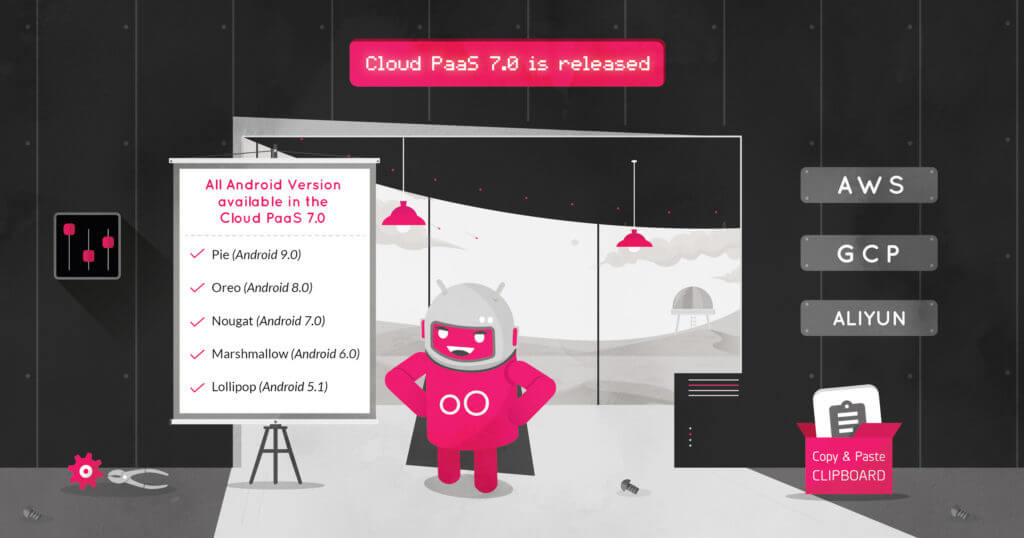
You spoke we listened! We released the latest version of Genymotion Cloud PaaS – v7.O. It adds new easy to use features that make the cloud experience faster and easier than ever.  These updates have been deployed to all the Android versions available on Genymotion Cloud PaaS, from 5.1 to 9.0. All images are available on all supported cloud providers, including AWS, GCP, and Alibaba cloud. Get the latest Android 9.0 (Pie) with updated Genymotion Cloud PaaS v7.0 here: – AWS Marketplace – Google Cloud Platform – Alibaba Cloud/ Aliyun   Check out these new features in Genymotion Cloud PaaS v7.0:   – We’ve added a new section to configure your instance easily. It contains ADB enable/disable, Authentication, product properties, resolution, TURN/STUN, kiosk & product usage.    – We added HTTP APIs to emulate text messages and phone calls, get a screenshot of the device, the list of people connected, inject an image as camera and get the kiosk status.  – We improved the autoplay screen policy that you asked for too! The stream is starting muted, with a message alerting the user to click anywhere to re-enable sound. See for more information  – Look for a clipboard widget to easily change android clipboard  from your web browser.  – The Need for Speed: We increased the web widget file upload speed up to 16x! And we didn’t forget about the buggy issues that slowed you down. These are some of the fixes you’ll see in this update:  – Fixed keyboard not working anymore after clicking out of some widgets.  – Fixed files not being opened correctly after upload if there is special characters in name or an uppercase in the extension.  – Fixed the gallery list not being refreshed after uploading  a media file.  – Fixed an issue preventing the letsencrypt certificate generation to work on android 9.0  – Fixed connection with SSH when there is no Public IP address  – Fixed a stability issue, System broadcasts ACTION_POWER_DISCONNECTED randomly making Appium test failing  – Fixed the virtual keyboard crashing when selecting ?123 on Android 8.0  – Fixed the battery HTTP API returning “not charging” by default  – Fixed TelephonyManager.getImei() returning null, and make it persistent after reboot  – Fixed HTTP API shell “big” payloads causing timeout  – Fixed the 3 loading dots appearing behind the video in some cases when resizing the browser window  – Fixed the API reference not working anymore when changing default password   That’s all for now!   Have any question or comment about the updates and bug fixes in the latest release – v7.0? Send us a message via twitter (@Genymotion) or contact us at [email protected] and let us know what you think, and even better, let us know how you’re using Genymotion Cloud.  

Genymotion Cloud, Genymotion Cloud (AWS-GCP), Genymotion Releases

Genymotion Cloud Android 9.0 (Pie) virtual devices on AWS, GCP, Alibaba Cloud

Since the launch of Android 9.0 Pie last year, you knew it was only a matter of time before you could run it on Genymotion Cloud. In December last year, we released a new version of our Desktop Android Emulator with Android 9.0 Pie compatibility.  Today, we’re happy to announce that we are releasing Android 9.0 on Genymotion Cloud Paas, available on AWS marketplace, Google Cloud Platform and Alibaba Cloud. This Android version is shipped with Genymotion’s latest version – Genymotion Cloud PaaS v6.0 so that you get a similar product experience across all devices.   Grab a slice of the Pie here: AWS Marketplace Google Cloud Platform Alibaba Cloud   Important: You may notice that Android 9.0 Pie on Genymotion Cloud is a bit slower than the previous versions. We are aware of the problem and are working on a patch to fix and save the ‘Life of Pie’.     Enough jokes on Pies, signing out now. Piece! Oh I mean… Peace! ✌️

Genymotion Cloud, Genymotion Cloud (AWS-GCP), Genymotion Releases

Genymotion Cloud PaaS v6.0 Release : New UI, HTTP API and important bug fixes

And just like that, we are well into February… How time flies! Are you still hanging on to your 2019 resolutions?   Because we surely are crushing our New Year’s resolutions. How?  We have just released v6.0 of Genymotion Cloud Paas. What’s new about v6.0? What does that mean for you? Read on! We’ve got so much for you.   More Features Who doesn’t like more?   Feature #1 We have created a new UI to display the Virtual Machine and its metadata which you can easily embed inside your website. But if you prefer the old UI, it is still accessible using the `/iframe/` path.   Feature #2 Genymotion Cloud PaaS is more compatible with an extended list of browsers, viz. Safari 11+ Chrome 34+ Firefox 30+ Internet Explorer 11+ Edge 15+ Opera 22+   Feature #3 We’ve created HTTP APIs to control various android settings and configurations, such as the clipboard, android IDs & version, shell commands, GPS, orientation, battery and various other input or settings.   Bug Fixes We are not perfect but we are working on it!  Bug Fix #1 We fixed an SSL bug which prevented the latest version of Chrome to work on Mac OS X.   Bug Fix #2 We also fixed a GPS bug which prevented the GPS location to be correctly updated on Android 8.0 devices.   Updated images on all the marketplaces Last but not the least, we have updated Genymotion Cloud PaaS images on all the marketplaces i.e. Amazon Web Services (AWS), Google Cloud Platform (GCP) and Alibaba Cloud. And they are available for all the Android versions i.e. Lollipop (Android 5.1) Marshmallow (Android 6.0) Nougat (Android 7.0) Oreo (Android 8.0) Sweet, ain’t it? No matter where your existing infrastructure is and whatever Android version you want to spawn, you will get the updated images of Genymotion Cloud. That’s it for today! Keep checking our blog for more news and updates in 2019. Until then… Enjoy Genymotion Cloud.

Scroll to Top

Select Product Portal

SaaS Platform

Access to our SaaS solution and use virtual machines in the cloud on any web browsers.

Or

Or

Desktop Platform

Access to manage your Genymotion Desktop licenses, your invoices and account information.

How to get a quote for multiple Business Licenses?

  1. You need a Genymotion Desktop account. If you haven’t one yet, you can create it here.
  2. After creation and activation, or if you already have an account, follow this link.
  3. Add the number of desired licenses to your shopping cart and click “Continue to Billing”
  4. Add a shipping address, or select one if you already created one.
  5.  In the next page, click “Get a quote”:
    Payment details
  6. A quote will be automatically generated in PDF format.

Genymotion Device Image for Cloud providers
- Private Offer -

Genymotion Self-hosted (on-premises)
- Contact Us -

Genymotion SaaS
- Increase Maximum Simultaneous devices -

Genymotion SaaS Enterprise Plan
- Get a Quote -

Genymotion SaaS Premium Plan
- Get a Quote -

Personal Use - Free

Genymotion Desktop for personal use is not suitable for trial or POC: you will not get any assistance and some features will be disabled. If you have already selected “personal use” and wish to get a trial license, please contact our Sales at [email protected].

Technical support is not available with Genymotion Desktop free edition for personal use. For more details, please refer to Genymotion conditions of use (Personal Use).

The following features are not available in personal use mode:

Follow these steps to get Genymotion Desktop and activate personal use mode:

  1. Go to the Download page and get the latest version for your system.
  2. Follow the instructions from Genymotion Desktop quickstart guide to install Genymotion Desktop.
  3. Launch Genymotion and click CREATE to create an account. You should receive an activation email within an hour. If not, make sure to check your spam.
  4. After activating your account, return to Genymotion and log in with your credentials.
  5. Select personal use when prompted.
  6. Read Genymotion Desktop quickstart guide carefully to setup Genymotion for your needs.

Contact Sales
- Premium Plan -

Select a Cloud provider Marketplace