Genymotion Desktop 3.11.0 is out! 🎉
We are extremely pleased to introduce the latest release of Genymotion Desktop, packed with a ton of groundbreaking features and enhancements!

We are extremely pleased to introduce the latest release of Genymotion Desktop, packed with a ton of groundbreaking features and enhancements!
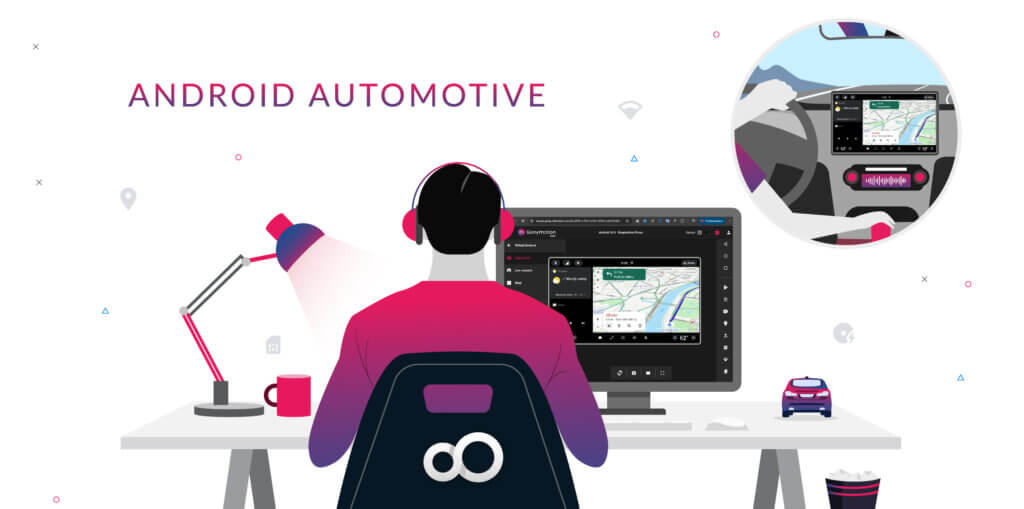
Buckle your seat belt and start your engine! Android Automotive virtual devices (AAOS 14) are now officially available on Genymotion SaaS 🚗 You can now spin up and run Android Automotive OS virtual devices directly in your browser or your CI/CD pipelines! What is Android Automotive? Android Automotive (AAOS) is a specialized version of Android designed specifically for In-Vehicle Infotainment (IVI) systems. It requires developers to adapt their applications to follow strict automotive UI guidelines, ensuring safety and usability on the road. Developers rarely have a real vehicle or dedicated hardware setup sitting at their desks to test their apps. Our emulator bridges this gap perfectly: Combined with our mocking features (GPS, Network and Baseband emulation, etc.), you can easily simulate route-based applications, signal strength drops, or geofencing scenarios without leaving your desk. A seamless experience in Genymotion Just like all Genymotion virtual devices, you can interact with your Android Automotive environment directly from your web browser using the Genymotion SaaS UI and widgets, or connect to it via ADB. But the flexibility doesn’t stop there: To help you hit the ground running, we also have a step-by-step tutorial on how to dynamically change vehicle properties to jump start your automotive testing workflows. Starting a virtual vehicle is just a few clicks away. Here is a sneak peek at what the Genymotion Automotive recipe looks like to start your first Automotive virtual device: What’s next? Head over to Genymotion SaaS to start your virtual device with Android Automotive (AAOS 14) today! Note: If you have specific version or feature requirements, require a custom hardware configuration, or need a tailored solution for your own Automotive OS, contact us to discuss your requirements. We would love to help you build the perfect Automotive environment for your project! Thank you for being part of this journey with us! We can’t wait to hear your feedback on this new release.
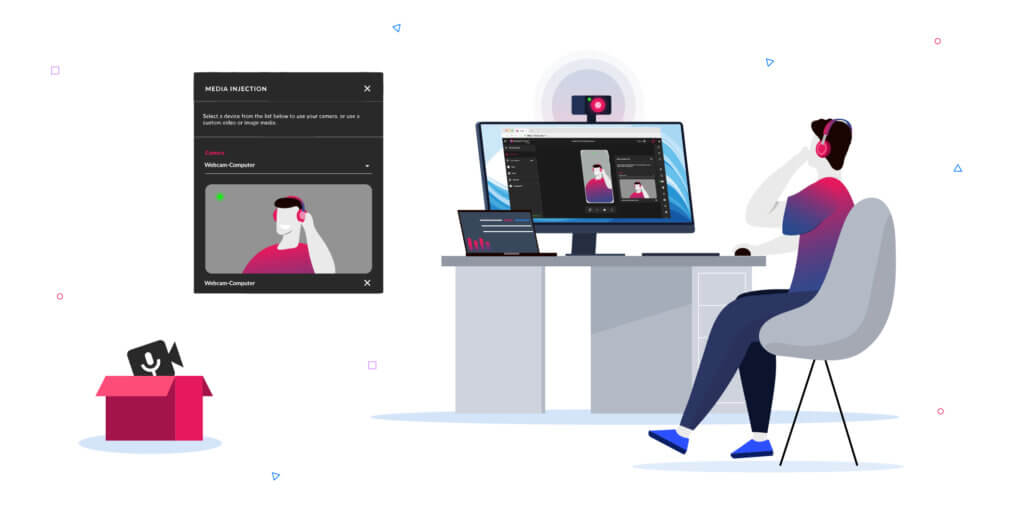
Testing camera-dependent features on cloud-based virtual devices has always been a bit of a challenge. Whether your application requires scanning a QR code, capturing a live photo for KYC verification, or testing video streaming capabilities, simulating these real-world camera inputs in the cloud is mandatory for thorough testing. With this in mind, we are extremely pleased to introduce the latest addition to our toolset: the Media Injection widget ; now officially live on Genymotion SaaS! What is the Media Injection widget? Until now, manipulating the camera feed on virtual cloud devices often required complex tweaks and workarounds. We wanted to make this process as seamless and flexible as possible for your workflows. Our new Media Injection widget gives you two powerful ways to feed the camera of your Genymotion SaaS virtual devices: Accessible right from your web browser’s device interface, this feature empowers developers, QA engineers, and security researchers to mock or live-stream camera inputs in just a few clicks. How to get started Using the new widget is as easy as it sounds: Try it out today! Our mission is to provide you with the most powerful, flexible, and reliable tools to build, test, and debug Android apps in the cloud. Integrating these capabilities directly into your browser workspace is another big step toward maximizing your development efficiency. Ready to see it in action? Log in to your Genymotion SaaS account and give the new widget a spin! For more technical details and supported media formats, be sure to check out our documentation. As always, if you have any questions or feedback, feel free to reach out to our support team or drop a message to our community. Happy testing! 🚀
We are extremely pleased to introduce the latest release of Genymotion Desktop, packed with a ton of groundbreaking features and enhancements!
Integrating tools is essential for maximizing development efficiency. With this in mind, we have developed a series of “Skills” dedicated to AI agents , designed to transform the way you interact with Genymotion SaaS (Cloud) and Genymotion Desktop (Local). Reduce Friction, Increase Speed Modern development requires juggling with many tools, which inevitably introduces friction and wasted time. Our main goal is to bring the management of your Genymotion instances within your daily work environment, whether it’s from your IDE or a terminal. Thanks to these new skills, managing your devices becomes a simple conversation. How It Works for the Android Developer Imagine the scenario of an Android developer working on Android Studio or Visual Studio Code (VS Code). Typically, they must switch between the IDE, the Genymotion interface, and the command line to manage their test devices; yet, with our Skills, this complexity disappears. Natural Language Commands, Directly in Your Chat Developers can now interact with their Genymotion devices via the chat window incorporated into their IDE, using natural language requests or simple commands: Unified Management: Local and Cloud Whether your Genymotion instance is local (Genymotion Desktop) or in the cloud (Genymotion SaaS), the AI agent takes care of the routing. No more need to remember specific commands or open separate interfaces: everything is managed from a single place. Advanced Scenario: Integrating a Genymotion device into a web page. For demonstration or documentation purposes, it is often necessary to embed an Android instance directly into a web page. This is typically a task that requires configuration and code generation. Thanks to the Skills, which are aware of our device-web-player SDK, this complexity disappears. You can simply ask: “Create an HTML page with an Android 16 device on the Cloud, using a ‘Dark Mode’ theme for the page.” The Skill will not just execute the command; it will initiate a guided process: The ability to generate code and automate complex deployments through simple natural language significantly speeds up development tasks. Benefits for the User These Skills translate into concrete and immediate advantages: We are convinced that this integration will considerably simplify developers’ daily lives. Installation Setting up Genymotion Skills is designed to be as seamless as running the agents themselves. Whether you’re a terminal power user or exploring the latest AI coding environments, you can get started in seconds: Next Steps We are actively working on improving our skills to not only allow finer control over Android devices, but also to simplify and accelerate the configuration of your Continuous Integration and Continuous Deployment (CI/CD).

As we wrap up another incredible year at Genymotion, we’re taking a moment to look back at the milestones that defined 2025.

The wait is over! We are happy to announce that stable, production-ready images of Android 16.0 are now available across Genymotion’s cloud-based platforms.

Dear Genymotion users, our mission is to provide you with the most powerful and reliable platform for testing, running, and demonstrating your Android applications. To continue delivering on that promise, we are making a significant, strategic evolution to your platform. Effective March 30, 2026, Genymotion SaaS will transition to exclusively support arm64 architecture for all Android virtual devices. On this date, the ability to create and start x86-based virtual devices will be restricted. We know that any change to your workflow requires consideration, and we want to be transparent about why this move is not just necessary, but a major step forward. Aligning with the real world for high-fidelity virtual devices The simple truth is that the mobile world runs on ARM. The vast majority of physical Android smartphones and tablets your users own are powered by arm64 processors. Testing on an x86 virtual device, while once a convenient proxy, is now like testing a sedan on a racetrack built for Formula 1 ; the environments are fundamentally different. This divergence can hide bugs and performance issues that will only surface once your app is running on physical devices. By focusing exclusively on arm64, we are closing this fidelity gap. We are committing to a platform where your test results are a precise reflection of how your app will perform in the real world, giving you greater confidence with every release. Keeping you compliant and competitive Google’s direction for the Android ecosystem is clear: since 2019, Google Play has mandated that all apps with native code must provide an arm64 version. This isn’t a suggestion ; it’s a requirement for being published on the world’s largest app store. By making arm64 our standard, we are ensuring you have the compliant infrastructure you need to succeed, right out of the box! Unlocking the next generation of apps This transition is also about the future. The arm64 architecture is the key to unlocking the next wave of mobile innovation. Its 64-bit design allows to address more than 4GB of RAM, which is critical for memory-intensive applications like high-resolution games, complex data visualization tools, and the demanding workloads of on-device AI and machine learning. For those working on intensive apps and games, arm64 GPU-accelerated virtual devices are also available on request. By providing a true arm64 environment, we are giving you the platform you need to not just test today’s apps, but to build and validate the cutting-edge apps of tomorrow. What you need to do We want to make this transition as smooth as possible for you, but you may need to perform some update on your workflow before March 30, 2026. 🙋♂️ For everyone: 👨💻 For developers: For more information and answers to common questions, please consult our FAQ here. We are incredibly grateful for the trust you place in Genymotion. By focusing our efforts on the arm64 architecture, we are confident to provide a more powerful, accurate, and future-proof platform that helps you build, test and share better applications. We are committed to supporting you through this transition, feel free to reach out if you have any questions.Thank you for being part of this journey with us. The Genymotion Team
The wait is over! We are happy to announce that stable, production-ready images of Android 16.0 are now available across Genymotion’s cloud-based platforms.

After a successful testing phase, we are officially releasing our final, production-ready ARM64 virtual devices on Genymotion SaaS!








For AI agents: AI-ready version of this site