✨ 2025 Year review

Author name: DSI Genymobile

Genymotion Cloud (AWS-GCP), Genymotion Releases

Genymotion Cloud PaaS releases version 7.0 with speedy new features

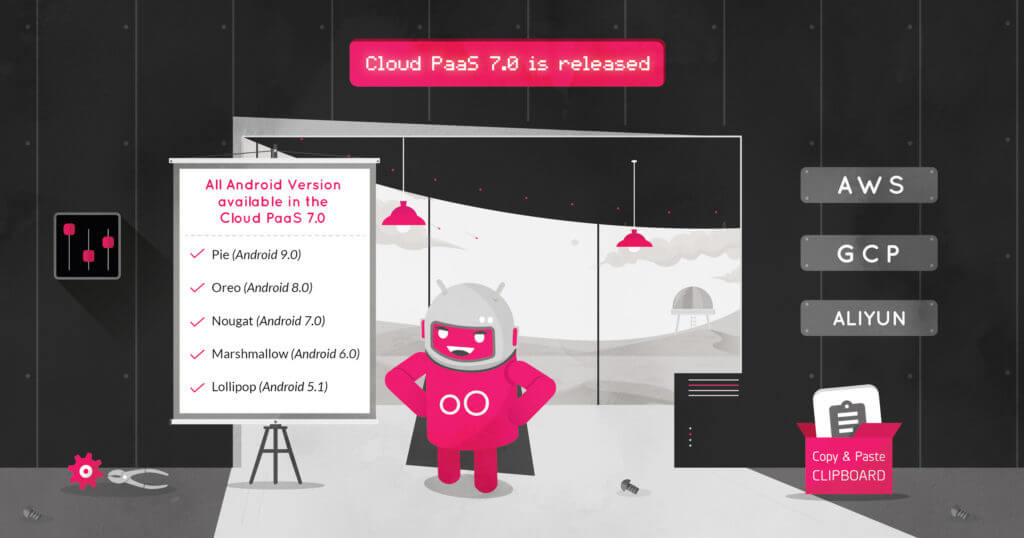
You spoke we listened! We released the latest version of Genymotion Cloud PaaS – v7.O. It adds new easy to use features that make the cloud experience faster and easier than ever.  These updates have been deployed to all the Android versions available on Genymotion Cloud PaaS, from 5.1 to 9.0. All images are available on all supported cloud providers, including AWS, GCP, and Alibaba cloud. Get the latest Android 9.0 (Pie) with updated Genymotion Cloud PaaS v7.0 here: – AWS Marketplace – Google Cloud Platform – Alibaba Cloud/ Aliyun   Check out these new features in Genymotion Cloud PaaS v7.0:   – We’ve added a new section to configure your instance easily. It contains ADB enable/disable, Authentication, product properties, resolution, TURN/STUN, kiosk & product usage.    – We added HTTP APIs to emulate text messages and phone calls, get a screenshot of the device, the list of people connected, inject an image as camera and get the kiosk status.  – We improved the autoplay screen policy that you asked for too! The stream is starting muted, with a message alerting the user to click anywhere to re-enable sound. See for more information  – Look for a clipboard widget to easily change android clipboard  from your web browser.  – The Need for Speed: We increased the web widget file upload speed up to 16x! And we didn’t forget about the buggy issues that slowed you down. These are some of the fixes you’ll see in this update:  – Fixed keyboard not working anymore after clicking out of some widgets.  – Fixed files not being opened correctly after upload if there is special characters in name or an uppercase in the extension.  – Fixed the gallery list not being refreshed after uploading  a media file.  – Fixed an issue preventing the letsencrypt certificate generation to work on android 9.0  – Fixed connection with SSH when there is no Public IP address  – Fixed a stability issue, System broadcasts ACTION_POWER_DISCONNECTED randomly making Appium test failing  – Fixed the virtual keyboard crashing when selecting ?123 on Android 8.0  – Fixed the battery HTTP API returning “not charging” by default  – Fixed TelephonyManager.getImei() returning null, and make it persistent after reboot  – Fixed HTTP API shell “big” payloads causing timeout  – Fixed the 3 loading dots appearing behind the video in some cases when resizing the browser window  – Fixed the API reference not working anymore when changing default password   That’s all for now!   Have any question or comment about the updates and bug fixes in the latest release – v7.0? Send us a message via twitter (@Genymotion) or contact us at [email protected] and let us know what you think, and even better, let us know how you’re using Genymotion Cloud.  

Appium, Applitools, Conference, Event, Genymotion Cloud, Industry

AppiumConf 2019 round-up from the Genymotion Team

Last month, Genymotion team participated in the largest Appium gathering of the year, AppiumConf 2019, held in Bengaluru, India on 14th-15th June, at Sheraton Grand Hotel. As gold sponsors of the event, Genymotion was thrilled to be an integral part of the conference, where the thought leaders of the open-source tool and the community, came together to share their experiences with one another.   Integration with Applitools Visual Testing This year was a very special one for us, with lots of news to announce. For starters, Genymotion and Applitools have officially kicked off our integration with each other, making it easy for Applitools users to scale their visual tests using Genymotion Cloud virtual devices. Leading up to, during, and following the event, both teams made a collective effort to publicize how engineers can parallelize app tests across all Android devices at once, in order to detect all bugs. Want to learn more about Genymotion’s integration with Applitools?  Register here to the webinar hosted by Jonathan Lipps (architect of the Appium project, and founder of AppiumPro newsletter) on the topic of “Easy Distributed Mobile Testing for Mobile Apps and Sites.” where he will present the integration in-depth on Tuesday, July 9, 2019.   Launch of Unprecedented Industry-Leading Pricing Model There’s another reason this year’s conference was so special for Genymotion – we officially launched Genymotion Cloud SaaS Pay-As-You-Go,  our new, industry-leading, flexible per-minute pricing which starts at 5 USD cents. The launch has been well-received among conference attendees. We noticed an uptick in signups for our Genymotion Cloud service immediately following the event. We’re learning that our pay-as-you-go pricing is opening the doors for mobile testing engineers, and presenting greater opportunities at lower budgets that had not previously existed in this market.  Sign up to Genymotion Cloud and get $50 worth of free credits   We Met a Lot of Appium Users!  Day 1 of the conference started early with lots of excited attendees already waiting for the talks to start. To kick-off the conference, Jonathan Lipps, Appium’s lead contributor, gave an insightful keynote on the future of Appium and mobile testing. Following the keynote, Angie Jones talked about how visual validation works, demoed a live integration into an existing Appium test code base, and discussed the pros and cons of using various visual validation techniques. Between talks, we had fun interacting with the visitors who were gathering at our booth to learn more about Genymotion Cloud, and understand how to run Genymotion Cloud with Appium.  Our team – Ghislain Ulrich, Ellinor Kwok, Vineet Karhail (L-R) – at our booth during AppiumConf 2019.   We were overwhelmed by the amount of delegates asking us interesting questions. We fielded questions like, “Should I use physical devices or virtual devices? How do I choose the right emulator? Is Genymotion right for their test automation needs?” and many others. We also met existing Genymotion Cloud users with specific questions on gmsaas, Genymotion on AWS and GCP, etc. Our pre-sales expert, Ellinor, was super busy between giving demos, meeting the speakers, attending interesting talks… and she still managed to try all the Indian dishes at lunch!  Day 2 of the conference was equally exciting with many interesting talks, and we met more attendees. It was great to see some of the attendees coming back to our booth with additional questions. We gave away lots of Genymotion stickers and Genydroids freebies, which were an instant hit among the visitors.  Genyboy and Genygirl decided to have fun at the dais between talks. They didn’t quite speak about Appium, but they were great at stress-busting, and found new homes at hundreds of Appium users in India!    Additionally, event organizers shot a quick video interview with our COO, Ghislain Ulrich discussing the wave of signups for Genymotion’s new pay-as-you-go service during the event.  We were happy to see that Genymotion was also mentioned several times in speakers’ presentations throughout the event, including talks by Vidio, CEX WeBuy, and PicsArt . This shows that the leading experts in the mobile testing use and advocate Genymotion for running their mobile tests. Aisyah Dzulqaidah, Test Engineer from BBM talked about “ Cloud Based Mobile Application Testing with Appium”. She and her team run their Android tests on Genymotion Cloud virtual devices.   It was great chatting with other sponsors at the AppiumConf 2019 as well. In this picture, TestProject‘s CEO, Marat Strelets, is showing our team how Genymotion Cloud can be integrated into their solution. Watch out for more on this!    So, How Did We Do?  All-in-all, the event was a huge success. We not only learned more about our audience of app testers, engineers, developers, etc. but we had a fun time doing it!  Until next year…. 

Automated Testing, Genymotion Cloud, Press Release

Genymotion Integrates Applitools Visual AI to Help Android Engineers Scale Automated Visual Tests Across Every Android Device

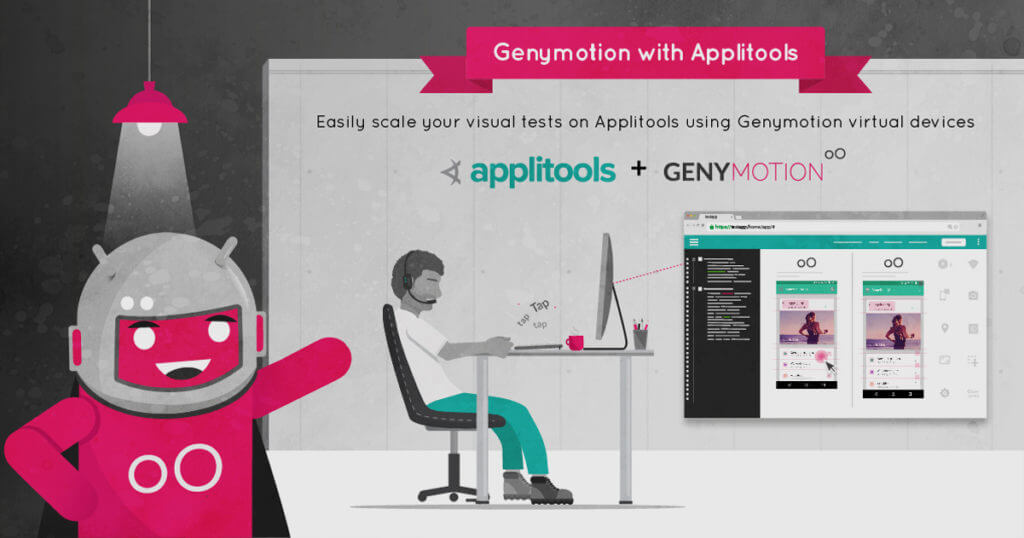
SAN FRANCISCO, June 13, 2019  — Genymotion, an industry-leading provider of cloud-based Android emulation and VMI solutions, today announced the integration of Applitools, the leading provider of AI Powered end-to-end Visual Testing and Monitoring, to allow users to scale automated visual testing through the Genymotion Cloud. The new integration is a perfect union of these two offerings, making it easy for Applitools users to scale their visual tests using Genymotion Cloud virtual devices, and for Genymotion’s eight million Android developers and QA professionals to add AI Powered automated visual testing to its cloud-based emulation and CDI solution for testing on all Android devices at the same time. The integration will be demonstrated at the 2019 Appium Conference, in Bengaluru, India. Genymotion and Applitools are both sponsors of the Appium Conference, held June 13-15, 2019.  With AI Powered Automated Visual Testing integrated into the Genymotion Cloud, engineers can parallelize app tests across all Android devices at once, in order to detect all bugs — including visual and functional bugs identified via Visual AI — early and easily in the test cycle.  Digital Transformation has created the need for QA engineers to test their mobile applications on a large number of Android devices and screen sizes quickly, which is hard to scale with actual physical devices. Using Genymotion Cloud in combination with Applitools’ automated visual testing suite, Android developers speed up their parallel tests, accelerate releases and simultaneously improving the quality of their Android applications.   Getting Started is Easy: Write your Appium tests using the Applitools SDK for Appium to take screenshots for visual testing Launch Genymotion Cloud devices using their command line interface Run your Appium scripts to run visual tests  To get started with Genymotion and the Applitools extension, visit (https://cloud.geny.io/).  Genymotion Cloud is a powerful Android emulator on cloud to run and scale automated tests, and reduce time-to-market of apps. With flexible per-minute pricing, QA professionals and test automation engineers have the ability to manage their testing costs by scaling up or down the number of devices. Register on Genymotion Cloud to try its solution for free, no contract. “Applitools is the clear leader in the Automated Visual Testing space as a result of its industry-leading Visual AI technology, and we are excited that their suite of application visual management solutions is now available to Genymotion Cloud users,” said Tim Danford, CEO at Genymotion. “Engineers who need to scale their testing can now take advantage of the opportunity to save time and get their product to market quicker than ever before.” Learn how to run Applitools visual tests on Genymotion Cloud virtual devices Applitools helps developers, test automation engineers, QA professionals, and DevOps teams automatically run visual tests at scale across every app, browser, OS, and screen size through its AI powered end-to-end visual testing and monitoring solution. “I am glad that these two industry-leading technologies have integrated in order to bring Android Developers the value of automated visual testing combined with the Genymotion Cloud,” said Gil Sever, CEO of Applitools. “Visual AI is the only way for developers to visually validate every screen of the native Android applications quickly and accurately to support faster releases at a higher quality than ever before.”   Learn more about how to use Genymotion Cloud, Appium, and Applitools to visually test Android apps. “I’m happy to see Applitools and Genymotion working together to lower the barrier to entry for mobile automated visual testing,” said Jonathan Lipps, Architect of the Appium project and Founder of AppiumPro. “As someone who’s focused on making it easier for the world to achieve all kinds of mobile automation, I appreciate how this integration will put easy distributed visual testing within the grasp of every tester using tools they’re already familiar with.”    Join a webinar presented by Jonathan Lipps titled, “Easy Distributed Visual Testing for Mobile Apps and Sites” and learn how to easily parallelize your tests across all Android devices at once, in order to quickly detect bugs and spend less time on test runs. The webinar will take place on Tuesday, July 9 at 10 am PDT (1 pm EDT / 6 pm UK). To register, visit: (https://rebrand.ly/GM-APP-webinar-w-J-Lipps )   About Genymotion Founded in 2011, Genymotion has offices in Paris, Lyon and San Francisco. Their flagship product, Genymotion Cloud is available as SaaS or PaaS on popular marketplaces like AWS, GCP, Microsoft Azure and Alibaba Cloud. Genymotion Cloud enables Android app developers to scale their automated tests and reduce the time-to-market of their apps. Their Desktop solution, Genymotion Desktop Android Emulator, has over 8 million users from over 100 countries and continues to be the most popular Android application development and test solution.  Genymotion is an integral part of testing tool stack at innovative tech companies including Facebook and Microsoft, Twitter, HBO, and more. To learn more, please visit www-staging.genymotion.com.     About Applitools  Applitools provides a state-of-the-art AI-powered end-to-end visual testing and monitoring platform for Developers, Test Automation, Manual QA, DevOps, and Digital Transformation teams. Our Visual AI technology transforms how organizations approach quality by ensuring web and mobile applications appear and operate exactly as designed across any device, browser, OS, or native application. Applitools is fast, quick to integrate with any DevOps environment, easy to use by anyone on the team, and scalable to any size organization looking to increase speed and quality with every release – an outcome necessary to compete in today’s challenging business environment.    Hundreds of companies from a range of verticals, including Fortune 100 firms in software, banking, insurance, retail, and pharmaceuticals, use Applitools to deliver the best possible digital experiences to their customers. Applitools is headquartered in San Mateo, California, with an R&D center in Tel Aviv, Israel. For more information, please visit applitools.com. 

Genymotion & Applitools integration illustration
Automated Testing, Genymotion, Genymotion Cloud

Run Applitools Visual Tests on Genymotion Cloud Virtual Devices

As more and more mobile QA teams are getting rid of manual testing, the need for automated testing is growing. Most teams focus their test automation on Unit, API, Integration, and Functional UI. But an important aspect of your mobile automation testing is Visual testing. Visual UI Testing is critical to catching unintended visual bugs while updating UI components. Visual bugs are difficult to find using functional tests, which focus on identifying bugs in your workflow. If you haven’t tried visual testing before, you’ll be surprised how many visual bugs you may find with an automated visual testing tool like Applitools. And don’t even think of manually finding visual bugs as it is painfully difficult to compare hundreds of images of your mobile app. Applitools provides AI-powered visual regression testing of applications and allows you to test cross-platform easily to identify visual bugs. It focuses on the visual aspects of your app and plays a major role in exposing the visual differences between baseline snapshots and both current and future snapshots. Its AI powered end-to-end visual testing and monitoring solution helps developers, test automation engineers, QA professionals, and DevOps teams automatically run visual tests at scale across every app, browser, OS, and screen size. Applitools allows developers to verify that each UI element in each page appears in the right color, shape, position, and size and that it does not overlap or hide other UI elements.   What are visual bugs? I’m sure you’ve all played spot-the-difference games in your childhood, and felt like a genius when you spotted all the differences in under a minute. Those games are fun! Well, Applitools’ visual AI does the same job of finding those visual differences (or bugs) in your mobile or web apps at a much-accelerated speed. See for yourself here. Here are some examples of visual bugs: Text blocking buy button on Southwest Airlines website (Source: Applitools) Search box blocking shopping cart on ThredUp Website (Source: Applitools)   Fragmented Android Market Due to the fragmentation of Android devices market, Android apps may visually behave differently on different devices and therefore, visual testing becomes even more critical for Android apps. With time-to-market becoming an important factor in improving customer experience, there is even more pressure on the QA teams to run these tests across a vast number of devices in the easiest way possible. Testing mobile apps on physical devices or using device farms is cumbersome, slow and expensive to manage and is often a deterrent to scaling their tests on as many devices as possible. To solve that problem, Applitools teamed up with Genymotion to making parallel visual testing far easier for QA engineers. Genymotion Cloud is a powerful Android emulator on the cloud to run your Appium tests and reduce app’s time-to-market. With flexible per-minute pricing, engineers have the ability to manage their testing costs by scaling up or down the number of devices. With Genymotion Cloud, testers at any level can sign up here and try out our solution on-demand, without a contract.   Applitools and Genymotion Cloud Our teams decided to work together with Applitools to solve this common problem that users were facing: Test the visual portions of an app on all the Android devices at the same time. Engineers can parallelize their visual UI tests using Applitools and Appium across all Android Genymotion Cloud virtual devices at once. This allows them to detect bugs as soon as possible and spend less time on test runs. QA engineers appreciate the ability to test their mobile applications on a large number of Android devices and screen sizes which is hard to scale with actual physical devices. Using Genymotion cloud virtual devices will speed up their parallel tests even faster. The collaboration between Applitools and Genymotion cloud allows for faster visual comparison on more configurations while also seeing the previous builds. This article will show you the steps to take in order to parallelize your Appium tests to perform visual testing and run those tests across a number of Android devices on Genymotion Cloud. Running Appium visual tests using Applitools on Genymotion Cloud Write your Appium tests using the Applitools SDK for Appium for taking screenshots for visual testing. You’ll use the udid capability in your tests to define on which Genymotion device you’ll run the tests. This can be known in advance as for Genymotion devices, adb serial is localhost:XXXXX where XXXXX is a port number that can be defined in advance (cf gmsaas below) Launch Genymotion Cloud devices via gmsaas command line. Read here. Run visual tests across Genymotion Cloud devices using Appium   For in-depth information on setting up Applitools and Genymotion Cloud devices, and running those tests, we recommend you to read this step-by-step tutorial. We’ve also put together video tutorials on how to run Applitools visual tests using Genymotion devices. Try it out and let us know how it goes.   More about Genymotion and Applitools Find out more about Genymotion, or sign up for a Genymotion Cloud account to get started free with $50 worth of credits now.   Find out more about Applitools. You can read their thoughts on using Genymotion, Appium & Applitools to test Android apps, request a demo, sign up for a free account, and view their Appium tutorial.

Genymotion, Genymotion Releases, gmsaas

Launching gmsaas : New CLI to automate the lifecycle of Genymotion Cloud Android virtual devices

Run all of your virtual devices from a Continuous Integration (CI) environment, shard your tests on multiple virtual devices, or trash them after the tests are over. And if you are a person of few clicks, manage all your Cloud-running Android devices without opening an Internet browser. With gmsaas, just log in with your Genymotion Cloud SaaS account and manage all of your Android virtual devices running in the Cloud. You can also start new virtual devices in the Cloud based on any of the default or user-defined devices recipes. Manage your Android virtual devices from the command line   With Genymotion Cloud SaaS, we have always focused on a great user-experience whether it is the speed of starting/stopping devices or adding new widgets. Thanks to its material-based design and a slick UI, it is very easy to get started and run Android tests using Genymotion Cloud. And if you are a Test Engineer or a Developer who wants to automate the start/stop of your virtual devices from a Continuous Integration (CI) environment using a command-line tool, until now you could only use gmtool which was shipped with Genymotion Desktop and had several limitations when used to access Genymotion Cloud. Clearly, this wasn’t the user-experience we were going for, and we’ve been working on creating a new command-line tool to replace it. Last week, we launched gmsaas – a new command-line tool that allows you to start/stop Android virtual devices on Genymotion Cloud without the limitations of gmtool! This new command-line tool is designed to easily interact with your Android virtual devices, hosted on our SaaS solution. There are three main advantages of using gmsaas: It is a lightweight binary distributed from PyPi. Easy to install, easy to update! No need to install Genymotion Desktop application No need for Genymotion Desktop license registration Getting started   Requirements Genymotion Cloud SaaS Register here python3 and pip3 Check out how to install Python 3 if you already haven’t How to install pip3 on Windows or macOS Android SDK How to Install Android SDK Install step pip3 install gmsaas Configuration step set the path to your Android SDK folder with: gmsaas config set android-sdk-path <pathToThatFolder> Playing with gmsaas   Log in to your Genymotion Cloud SaaS account with gmsaas gmsaas auth login <yourGenymotionCloudSaaSEmail> List all Android virtual device recipes shared in the Cloud gmsaas recipes list Start an Android virtual device in the Cloud gmsaas instances start <recipeUUID> <instanceName> Note: the <instanceUUID> is printed on standard output. Make a virtual device usable with adb gmsaas instances adbconnect <instanceUUID> List all your Android virtual devices running in the Cloud gmsaas instances list Stop an Android virtual device running in the Cloud gmsaas instances stop <instanceUUID> gmsaas is our first step to bring Cloud-running Android virtual devices to the masses… well, at least to the tech masses! Subscribe here and be the first to know about the upcoming releases of Genymotion Cloud SaaS.(hint: we’ve got something special coming soon!) Get Genymotion Cloud SaaS updates

Genymotion Cloud, Press Release

Android Emulation Provider Genymobile Reaches 4 Million Hours of Usage; Appoints New CEO to Drive Further Success of Flagship Product, Genymotion Cloud

San Francisco, April 30, 2019: Industry-leading provider of Android emulation solutions, Genymobile, announced today that its cloud-based Android emulation service, Genymotion Cloud has clocked more than 4 million hours of usage since its launch in November 2016. To help the company capitalize on the recent growth, and navigate its efforts to the next-level, they have brought on a new CEO, an industry veteran, and someone who has previously led innovative teams at Facebook, Tim Danford. As the flagship product of Genymobile, Genymotion Cloud has experienced tremendous levels of growth. With a near 20% compounded monthly growth rate (CMGR), there are currently over 2,000 developers using the emulator on just Amazon Web Services (AWS) marketplace alone to build and deliver Android applications to their customers. Adoption of the cloud-based solution, Genymotion Cloud is growing across the Android testing and QA (Quality Assurance) ecosystem as it enables developers and QA engineers to scale their automated tests and reduce time-to-market of their applications. Genymotion Cloud easily integrates into development and test automation frameworks, and the most popular Continuous Integration (CI) servers such as Jenkins and Cucumber via a unique, cloud scale implementation of Android Debug Bridge (ADB). Notable customers using Genymotion Cloud include Yammer and BlackBerry Messenger (BBM). Yammer (Microsoft), a customer since September 2017, uses Genymotion Cloud SaaS daily to test their mobile apps and has spent over 200,000 hours on the platform. Test Engineers at Yammer find virtual devices to be much faster to use than device farms where device availability is longer. Additionally, BBM successfully migrated their Android Continuous Integration development environment to the cloud using Genymotion and uses over 450 hours of Android virtual device emulation every day. “Genymotion Cloud is very reliable and scalable. We can create, start, and destroy emulators quickly, easily, and reliably. We run dozens of sessions of instrumented, automated tests reliably at scale every day. It also provides tools that are easy to use and has all the necessary functionality we need to achieve what we want to do.”, says Sen from Engineering team at BBM. To drive this continued growth of Genymotion Cloud the company recently appointed Tim Danford as Chief Executive Officer and Chairman to steer its expansion in the cloud. Arnaud Dupuis, founder and CTO of Genymobile says “I’m pleased to welcome Tim as our CEO. He has been an active advisor to Genymobile since 2013 and understands the company and the market very well. He brings deep experience in mobile and cloud technologies. Tim has a proven track record as an entrepreneur and most recently led innovative teams at Facebook. Tim’s vision and execution track record is exactly what we need as we unfold the next chapter of growth with Genymotion Cloud.” “I’m excited to join the company at a time when Genymotion is scaling on the cloud. We are already seeing double digit growth with early customer access across Amazon Web Services, Google Cloud Platform, and Alibaba Cloud. We will focus on exploring new ways to use the service and work on improving developer and QA experience by integrating better with existing tools and frameworks used by our customers. We intend to be a big part of Android Pyramidal Testing in the cloud”, says Danford, who was a Director at Facebook Connectivity Lab prior to joining Genymobile. Genymotion Cloud is becoming an integral part of the testing tool stack at leading innovative tech companies like Blackberry Messenger, Starling Bank, Toast, Microsoft and more. If you would like to learn more about Genymotion Cloud, please visit http://localhost:9000. It can also be accessed through popular cloud marketplaces like AWS Marketplace, Google Cloud Platform, and Alibaba Cloud.   About Genymobile Founded in 2011, Genymobile has offices in Paris, Lyon and San Francisco. Their flagship product, Genymotion Desktop Android Emulator has over 8 million users from over 100 countries and continues to be the most popular Android application development and test solution. Genymotion Cloud is available as SaaS or PaaS on popular marketplaces like AWS, GCP, and Alibaba Cloud. Today, our cloud solution enables Android app developers to scale their automated tests and reduce time-to-market of their apps which has made it an integral part of the testing tool stack at innovative tech companies like Microsoft, Twitter, Toast, HBO, Blackberry Messenger, and more.

Genymotion Cloud, Genymotion Cloud (AWS-GCP), Genymotion Releases

Genymotion Cloud Android 9.0 (Pie) virtual devices on AWS, GCP, Alibaba Cloud

Since the launch of Android 9.0 Pie last year, you knew it was only a matter of time before you could run it on Genymotion Cloud. In December last year, we released a new version of our Desktop Android Emulator with Android 9.0 Pie compatibility.  Today, we’re happy to announce that we are releasing Android 9.0 on Genymotion Cloud Paas, available on AWS marketplace, Google Cloud Platform and Alibaba Cloud. This Android version is shipped with Genymotion’s latest version – Genymotion Cloud PaaS v6.0 so that you get a similar product experience across all devices.   Grab a slice of the Pie here: AWS Marketplace Google Cloud Platform Alibaba Cloud   Important: You may notice that Android 9.0 Pie on Genymotion Cloud is a bit slower than the previous versions. We are aware of the problem and are working on a patch to fix and save the ‘Life of Pie’.     Enough jokes on Pies, signing out now. Piece! Oh I mean… Peace! ✌️

Genymotion Cloud, Genymotion Cloud (AWS-GCP), Genymotion Releases

Genymotion Cloud PaaS v6.0 Release : New UI, HTTP API and important bug fixes

And just like that, we are well into February… How time flies! Are you still hanging on to your 2019 resolutions?   Because we surely are crushing our New Year’s resolutions. How?  We have just released v6.0 of Genymotion Cloud Paas. What’s new about v6.0? What does that mean for you? Read on! We’ve got so much for you.   More Features Who doesn’t like more?   Feature #1 We have created a new UI to display the Virtual Machine and its metadata which you can easily embed inside your website. But if you prefer the old UI, it is still accessible using the `/iframe/` path.   Feature #2 Genymotion Cloud PaaS is more compatible with an extended list of browsers, viz. Safari 11+ Chrome 34+ Firefox 30+ Internet Explorer 11+ Edge 15+ Opera 22+   Feature #3 We’ve created HTTP APIs to control various android settings and configurations, such as the clipboard, android IDs & version, shell commands, GPS, orientation, battery and various other input or settings.   Bug Fixes We are not perfect but we are working on it!  Bug Fix #1 We fixed an SSL bug which prevented the latest version of Chrome to work on Mac OS X.   Bug Fix #2 We also fixed a GPS bug which prevented the GPS location to be correctly updated on Android 8.0 devices.   Updated images on all the marketplaces Last but not the least, we have updated Genymotion Cloud PaaS images on all the marketplaces i.e. Amazon Web Services (AWS), Google Cloud Platform (GCP) and Alibaba Cloud. And they are available for all the Android versions i.e. Lollipop (Android 5.1) Marshmallow (Android 6.0) Nougat (Android 7.0) Oreo (Android 8.0) Sweet, ain’t it? No matter where your existing infrastructure is and whatever Android version you want to spawn, you will get the updated images of Genymotion Cloud. That’s it for today! Keep checking our blog for more news and updates in 2019. Until then… Enjoy Genymotion Cloud.

Genymotion, Genymotion Releases

Genymotion 3.0 is out: brand new UI, Android Pie, and more!

Hello World, this is a major release! We’ve been working on it for quite a long time, and it will make a big difference for each of our users, since it also includes a full revamp of our UI based on Material Design. Obviously, new, cool features are also on the menu! Let’s see what we have for you:   Smoother User Experience   To improve the User Experience for all our users, we worked hard and came up with a brand new, sleek interface developed with Material Design. Those who have already used the SaaS version of Genymotion Cloud might already be familiar with it… The new interface also has dynamic filters to help you find your devices and templates in a click, and sortable lists, this way you don’t spend time retrieving your work and can focus on what really matters: producing and testing wonderful apps, of course 🙂   Updates to the most recents standards   To stay up to speed with what’s new in the tech world, we’ve also updated some of the tools that Genymotion is based on. – The version of VirtualBox bundled in the Windows installer has been updated to 5.2.22 – The Map widget has been updated Google map provider to Mapbox Oh, and, of course, Genymotion 3.0 comes with Android 9.0 Pie!   Access to all features in the “Personal Use” version That’s… right. All features of Genymotion Desktop have been made available in our free version, Genymotion for Personal Use. Yay!   Also, a short reminder that this version applies only if you use Genymotion for a non-professional activity. Please refer to our Terms & Conditions for more details on this.   Conclusion We hope you’ll enjoy this new version of Genymotion and the Genymotion team wishes you a wonderful Christmas! As usual, you can browse our release note for all the technical details. Happy holiday!    

Scroll to Top

Select Product Portal

SaaS Platform

Access to our SaaS solution and use virtual machines in the cloud on any web browsers.

Or

Or

Desktop Platform

Access to manage your Genymotion Desktop licenses, your invoices and account information.

How to get a quote for multiple Business Licenses?

  1. You need a Genymotion Desktop account. If you haven’t one yet, you can create it here.
  2. After creation and activation, or if you already have an account, follow this link.
  3. Add the number of desired licenses to your shopping cart and click “Continue to Billing”
  4. Add a shipping address, or select one if you already created one.
  5.  In the next page, click “Get a quote”:
    Payment details
  6. A quote will be automatically generated in PDF format.

Genymotion Device Image for Cloud providers
- Private Offer -

Genymotion Device On-premise
- Contact Us -

Genymotion SaaS
- Increase Maximum Simultaneous devices -

Genymotion SaaS Enterprise Plan
- Get a Quote -

Genymotion SaaS Premium Plan
- Get a Quote -

Personal Use - Free

Genymotion Desktop for personal use is not suitable for trial or POC: you will not get any assistance and some features will be disabled. If you have already selected “personal use” and wish to get a trial license, please contact our Sales at [email protected].

Technical support is not available with Genymotion Desktop free edition for personal use. For more details, please refer to Genymotion conditions of use (Personal Use).

The following features are not available in personal use mode:

Follow these steps to get Genymotion Desktop and activate personal use mode:

  1. Go to the Download page and get the latest version for your system.
  2. Follow the instructions from Genymotion Desktop quickstart guide to install Genymotion Desktop.
  3. Launch Genymotion and click CREATE to create an account. You should receive an activation email within an hour. If not, make sure to check your spam.
  4. After activating your account, return to Genymotion and log in with your credentials.
  5. Select personal use when prompted.
  6. Read Genymotion Desktop quickstart guide carefully to setup Genymotion for your needs.

Indie Plan Application Form

This plan is strictly reserved to individual workers (freelancers, self-employed).

Contact Sales
- Premium Plan -

Educational Plan Application Form

The Educational plan is restricted to:

  • schools, teachers or students who wish to use Genymotion Desktop for tuition
  • students who wish to use Genymotion Desktop for a school project

It is subject to valid proof (student card, teacher card, etc.)

Select a Cloud provider Marketplace