🤖 Power your dev and integration with AI skills for Genymotion!

Author name: Cécile MAURISSET

Genymotion, Genymotion Releases

Genymotion 2.8.0 is out – Such performance! Much smoothness! (and fixes)

PERFORMANCE YAY ? Virtual devices now run as fast as earlier this year. Also, we made sure you reach +20% performance in browser and webviews ? Now fixes: No more black screens at boot for Mac users and no more server random crashes either. We also noticed a few features appearing to be inaccessible for some Windows users. Fixed too! This used to happen when…

Android Development, Application Development, Dev Tips

4 Tips That Will Help You Create Your First Android App

There are many people out there with excellent app ideas. However they often encounter the same problem: they don’t know where to start! If you have found yourself in this situation, here is some good news: you’re not the only one. Even better, you’ve come to the right place! We’ve made this noob-friendly guide that can come in handy ? Tip 1: Learn the basics of coding The truth is hard to accept, but if you want to dive into Android app development you’ll have to learn the basics of coding . There is indeed a bunch of code-free mobile app development solutions around but you’ll quickly figure out that, sooner or later, you’ll have to get your hands dirty to make your app behave the way you want it to behave. Learn Java Java is a key pillar of Android and is used by the SDK (Software Development Kit) for every single application. You simply cannot miss that step (life ain’t easy) but there are many platforms that can help you get going! Codecademy or Sololearn are good places to start. Learn Android “Well… Obviously! Duh!” Hold on, we’re talking about Android core app concepts here: activities, services, providers, receivers, intents… Not so smart now huh? ? Take a look at “Application Fundamentals” from the official Android documentation to get started. Be a sponge The more you learn, the easier it becomes. Whether you’d like to know the basics of a new language or to dive into a very specific concept of Android, we recommend following this path: YouTube tutorials → books → conferences. Start with the Android Dev official channel, you won’t regret it. Tip 2: Thinking smart to make things smooth If you’re reading this guide, you probably already have an idea of what your Android app will be about. But don’t rush to creation too early! Be sure your idea is the right one and above all that it’s feasible considering you have few to no skills or experiences in Android app development. Start small A cool app doesn’t have to be complicated. Apps that get most of the downloads are not necessarily the most intricate. Also, going with a clean and simple user interface which requires very little input from your users will make things much easier when it comes to code. Start here or take a look Android’s official samples. Draw what you’d like to see Remember that thing called “pen”? Grab it! All along your Android app project you’ll quickly find that putting things on paper first will help, whether you go for wireframes or simple UI ideas. Draw every single step to remember it and to make sure each one makes sense overall. Tip 3: Success relies on good organization For more convenience, we recommend you tear down basic Android application development projects according to a pre-defined timeline. In this case, we’re talking about a 30-day project. But no matter how much time it is, it usually goes by these 5 steps: Ideation (Day 1 – 2) Remember “Tip 2” right above? This is where you put it to work ! Take as much time as necessary to find the perfect idea. We recommend 2 days. Don’t rush as it will define your whole project! Preparation (Day 3) This is where you choose your IDE (Integrated Development Environment), in other words the all-in-one software that will provide everything you need to develop your app. We recommend using Android Studio. This is where you’ll also gather what we call “media assets”. Simply put, they are all the files that will be found in your app: images, logos, audio files, video files… anything! The good news is you don’t necessary have to create these from scratch! There are already awesome ones existing at Android development resources. Creation (Day 4 – 21) We’re not going to lie. This step is the toughest, especially if you’re new to Android development. Here you have to build your app layout and most particularly write the code that will bring it to life. If you choose to implement specific design elements, make sure it is compliant with Google’s Material Design guidelines. Once you’re done, compile your source code into an APK file. Testing & adjustments (Day 22 – 28) Don’t consider your project over until you’ve personally tried and tested every single part of it! As a first step, install your APK file and run it on your own Android hardware device. Then include an Android emulator in your mobile testing strategy and perform advanced tests targeted on specific devices and Android versions. Publication (Day 29 – 30) After you are done, you can ship your app to Google’s Play Store! This step is optional but recommended: it allows you to deliver your app through a reliable source visited by a good amount of people. Head up to “Get Started with Publishing” from the official Android documentation for more info on this. Tip 4: Patience is the name of the game During your Android app development project, don’t be too harsh on yourself, whatever the problem is. Being an Android developer is a full-time job that requires a lot of hard and soft skills. By the way, patience and dedication are definitely part of them ? Don’t fear failure Failure is good. Failure is what will make you learn and evolve all along your project. Don’t reject it, embrace it and accept it to finally witness how much wiser you become when your app is done. Be patient Building an app is time-consuming. As explained above being an Android developer is a full-time job, so don’t expect it to happen overnight. If you’re looking for fast positive results then you might want to consider something else. Seek help There’s absolutely no shame in it! If nobody around is able to help, you might want to consider Stack Overflow. In any case there’s absolutely no problem in contacting us. We don’t bite! Be patient Again. Bottom line Android app

Genymotion, Genymotion Releases

[UPDATED] Genymotion 2.7.0 is out – Retina display support, NAT/Bridge network modes, and more

EDIT 2: Genymotion 2.7.1 is out and fixes compatibility issues with Android Studio. Faster ADB technology has been removed and will be reimplemented very soon in 2.7.2. EDIT 1: We noticed a few compatibility issues with Android Studio (Genymotion not being detected by adb). 2.7.1 is on its way and will fix the issue. Meanwhile, 2.6.0 is the version that remains available to download. YES! You read it right: Genymotion now fully supports Retina screen resolutions [insert victory song]. No more design flaws or weird issues! We considered the waiting time sufficient (i.e. dawn of time) and rolled up our sleeves* to make it available for this release. Genymotion 2.7.0 also brings updated and improved ADB. It is blazing fast: large APK files can now be pushed ten to thirty times faster on any Android version! No more coffee-time during deployments. Also on the menu: NAT/Bridge network modes. Connect with your virtual devices from any computer on the same network! One last thing: in order to provide the best experience for the maximum amount of users, we will now focus our efforts on today’s most-used platforms. As a consequence, Genymotion 32-bit is no longer available and will not be updated nor supported anymore. Don’t panic! Previous versions will still be operational. As always, this release also brings a couple of bug fixes and improvements, which you can read about in more detail in the full release note. You might notice subtle changes paving the way for our soon to be released Cloud offer. Let us know in comments if you found them all! Enjoy! * No developers were harmed in the making of this new version. DOWNLOAD GENYMOTION 2.7.0 Our teams work hard to bring you the best at each release. If you have any queries, please feel free to send us an email or tweet us @Genymotion.

Event, Partnership

HPE Discover 2016 – Where to find us

HPE’s annual Discover event is upon us! This year it is happening in Las Vegas from the 7th-9th of June, and will be dedicated to digital transformation. We are very excited to announce we’ll be part of HPE’s selected industry visionaries! Here are all the subjects we’ll tackle, plus all the related sessions. See you there! Tips to keep up with demands for qualitative app releases Mobile app testing is part of the answers, everybody knows that. However testing for 1,000 Android versions and devices is a bit tough. That’s where emulators come into play, as useful complements to real physical devices. Let us explain you what are Android emulators, what is Genymotion and what it exactly provides – besides being the world leader for app testing and collaboration! The virtues of Genymobile emulators in your mobile testing strategy Session ID: T8541 Theater 6 Wednesday 12:30-01:00pm Recommendations to rethink mobile testing processes With mobile testing, businesses are able to drastically improve their user experience, and see great results in customer loyalty and engagement. However, there’s always room for improvement, and unfortunately not everyone perform mobile tests to their full extent. During this session you will hear examples and improvement tips directly from industry’s pet experts. Panel discussion on mobile testing Session ID: PNL10325 San Polo 3505 Wednesday 02:30pm – 03:30pm Roundtables The perfect place to solve your daily or occasional business problems. Ask anything and get real life practices and methodologies related to mobile testing. We will also talk about device deployment, labs, platforms, features and discuss manual testing, automation, performance, analytics, integration and licensing. Mobile testing Roundtable Session ID: RT9064 Where: Marcello 4401A Tuesday 7th June: 04:30pm – 05:30pm Thursday 9th June: 09:00-10:00am ; 10:30-11:30am ; 01:30-02:30pm REGISTER NOW

Genymotion Cloud, Resource, Whitepaper

Free eBook: Cloud Based Emulation

The New Way for Mobile Companies to Do Business In today’s competitive market, mobile companies need to build apps right the first time, quickly iterate to stay current, and create a steady pipeline of new apps as customer needs evolve. One of the main challenges businesses developing apps face today is communication. Traditionally, there is no central and easy way for everyone in businesses to work together. Communication, especially between technical and non-technical teams (e.g. marketing and QA) is fractured. Cloud-based emulators are revolutionizing the way companies manage their entire mobile application lifecycle. They improve app user experience and quality, increase productivity, reduce costs, and cut time to market. DOWNLOAD NOW

Genymotion, Genystory, Testimonial

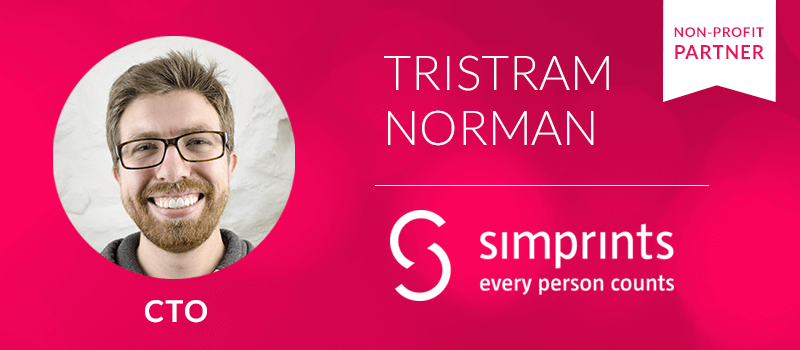
Genystory | Tristram Norman (Simprints)

Tristram Norman is Chief Technical Officer at Simprints, a non-profit dedicated to tracking critical services through mobile biometrics. Reliable identification is lacking in many parts of the world, making it extremely difficult for health or aid workers to tell people in a crowded slum apart. “If you’re looking for a fast streamlined emulator for Android, choose Genymotion“ Simprints’ app plugs into major mobile data collection platforms, allowing hundreds of organizations across the world to accurately identify patients in remote places. Genymotion’s ease of use and speed fits Simprints’ needs perfectly as they work on the go: “Our solution is being developed and rigorously tested in the contexts it will be used, with the people who use it”. “Genymotion has been extremely helpful from day one…we love its ease of use“ Tristram uses Genymotion for an app that connects to Simprint’s fingerprint scanner that allows patients to track their medical records. “We reached out to Genymobile after we found out that they had the fastest emulators to boot up… They immediately agreed to partnering with us to support our cause”. Simprints recently made a journey to Nepal, bringing our beloved mascots with them! If you are interested in joining our non-profit sponsorship program please contact us.

Genymotion Cloud, Webinar, Webinar Registration

Webinar | “Your Android Application Lifecycle SaaSified” (French version)

After the huge success of the English version (more than 8,500 registrants), join us for the French one! Discover how the exclusive new features of Genymotion Cloud can take the whole mobile application lifecycle to a new level. Build, test, flaunt and support all your Android applications thanks to our near zero touch Cloud offer. To whom is this webinar addressed? Genymotion already was an engineering marvel. It has solved a huge amount of business problems for many people (4.5M to be accurate). If you liked it and used it, Genymotion Cloud will be music to your ears, whether you are software developer, QA tester, UI/UX designer, customer support manager, or even part of the sales and marketing teams. What’s the thematic? You’re in the best position to know the issues you’re dealing with in your everyday business life. Well here’s the good news: we have the answers! This webinar will revolve around several use cases so as to to discuss about the powerful automation and collaboration features of Genymotion Cloud. No more hassle during the application lifecycle: deliver what is expected, on time, in line with your budget. REGISTER TO THE FRENCH VERSION

Genymotion Cloud, Genystory, Testimonial

Genystory | Philippe Bernery (Backelite)

Philippe Bernery is Head of Innovation at Backelite, the French Leading Digital Service Design agency that simplifies users’ everyday life by defining, designing, implementing and optimizing their digital services, including web, mobile and connected objects and TV. “Genymotion Cloud allows us to have more flexibility” Companies don’t always have the time or resources to test on multiple Android versions which can be risky because bugs can remain in older Android versions. Philippe usually hires 1-2 people for each app to test on the most frequently-used OS versions and devices. “At Backelite we only have one server onsite dedicated to tests, and we can’t launch several VMs at the same time. Genymotion Cloud allows us to have more flexibility, save time and improve the quality of our apps allowing us to test more combinations of versions/devices”. “Clients can test any device/OS version from a computer…it becomes seamless” Philippe explains that his teams publish APKs on the company’s internal app store, so that their clients can in turn download their apps and test them on their own smartphones. But what happens if they don’t have an Android phone available? “With APK sharing on Genymotion Cloud, the client can test any device/OS version from a computer, without having to set up a real device to download, install and launch an app. With the Cloud, it becomes seamless”. “Customers are able to experience all the value-added features directly” Account creation can be time consuming, and customers have to go through a long sign in / sign up process that requires an ID and password: “VM sharing in Genymotion Cloud allows us to pre-configure a VM for our customers so that they are able to directly test the app running and experience all the value-added features directly”. With Genymotion Cloud, teams can optimize their app development process as a whole by involving their clients early on, making it easy for them to see how their app is going. What are you waiting for? Discover now the awesome new features of Genymotion Cloud. If you have any questions, feel free to contact our sales team.   DISCOVER GENYMOTION CLOUD

Application Development, Genymotion Cloud, Opinion

Modern App Development Should Be Collaborative

Finished your work? Start again!   Every developer has had this experience You get the specs, you burn the midnight oil to get the alpha ready by the deadline, you deliver… and suddenly there’s a whole new set of requirements, not to mention problems on specific devices on specific networks or in specific GPS locations. The result: more coding, more regression testing and plenty of lost time. The problem isn’t your coding, it’s the process itself For too long, developers have been working in isolation, with too much input coming in too late. What’s needed is a better process where all the well-known stakeholders – marketing, design, QA and customer support – can join in at the right time. One way that this could happen is through extended use of emulation. As things stand today, emulation tools are used exclusively by developers – but that could change. If these tools were enhanced with a UX that let stakeholders use them along with developers, the result would be a new collaborative approach to the whole app lifecycle – where stakeholders could provide input at exactly the right time. This would speed the development process, eliminate a lot of frustration and, by the way, substantially reduce coding time and costs. So what’s the key to moving in this direction? In a nutshell: quick, uncomplicated access to the app under development by both technical and non-technical people, via their device of choice, with no need to install emulation software. How stakeholders could chime in   Quality Assurance (QA) With cloud-based emulation, QA teams can develop and run automated test scripts to find defects in mobile apps. Moreover, QA can easily demonstrate those bugs to developers because developers can reproduce them in real-time by spinning up a virtual device running in the cloud. UI/UX User interface (UI) and user experience (UX) engineers need to be intimately involved in the development process because they have to ensure that apps meet usability requirements and deliver the best user experience. With a cloud-based emulation platform, the UI/UX team can conduct focus groups with internal and external stakeholders to provide precise feedback to developers on what needs to be changed. Design It’s well known that how an app looks on screen has a huge effect on adoption rates. Typography is an important component of this look. For example, if designers could get an early view of how various fonts appeared on various devices, they might want to change from a fixed pixel value per font to a different approach that allowed more flexible resizing for better legibility. Marketing Marketing teams can use a cloud-based emulation platform to see pre-release apps and get a jump on creating marketing materials and programs. They can also demo the apps to media, analysts, or other influencers. Without this kind of platform, they may need help from the development or IT department to demo the latest versions. Sales The sales department can use an emulation platform to show the most current version of the product to potential customers, even as it develops. Without an emulation platform, sales staff may need to bring along engineers to sales meetings to give demos. Help desk/customer support staff Staff can run emulation in near real-time to replicate issues their customers are experiencing in the field and resolve it in the shortest time possible, ensuring customer satisfaction — and happy customers are lifelong customers. This limits revenue loss, reduces support costs, and enables mobile-first companies to get a higher lifetime value from their customers. Customers Going beyond tech support, with the right technology there’s no reason actual end users couldn’t be included in early feedback loops, rather than waiting until release, when revisions can cost as much as $14,000 to address. What kind of technology could make all these things happen? Without getting into technical detail, some general requirements are clear. Easy access Non-technical people are not going to take the time to master a command line interface, nor should they have to. What’s more, these non-technical users shouldn’t be required to install any emulation software in order to view an application as it’s being developed. They need a simple way to access and visualize the builds that’s as easily as clicking a link. Broad coverage With literally thousands of different device/version combinations on the market, an emulator can’t be limited to a handful of devices. Reliability Stakeholders need to be confident that the emulation they’re seeing accurately represents how the real app looks and acts across various devices, networks and geographical locations. Collaboration Each of the abovementioned stakeholders can benefit across the whole mobile application value delivery chain if they are able to collaborate on timely basis. Good news! We’re working on these problems The whole Genymotion team is currently developing a new solution that can make agile, iterative development a time- and cost-saving reality. Be patient! Soon you’ll see what’s next for app development.

Scroll to Top

Select Product Portal

SaaS Platform

Access to our SaaS solution and use virtual machines in the cloud on any web browsers.

Or

Or

Desktop Platform

Access to manage your Genymotion Desktop licenses, your invoices and account information.

How to get a quote for multiple Business Licenses?

  1. You need a Genymotion Desktop account. If you haven’t one yet, you can create it here.
  2. After creation and activation, or if you already have an account, follow this link.
  3. Add the number of desired licenses to your shopping cart and click “Continue to Billing”
  4. Add a shipping address, or select one if you already created one.
  5.  In the next page, click “Get a quote”:
    Payment details
  6. A quote will be automatically generated in PDF format.

Genymotion Device Image for Cloud providers
- Private Offer -

Genymotion Self-hosted (on-premises)
- Contact Us -

Genymotion SaaS
- Increase Maximum Simultaneous devices -

Genymotion SaaS Enterprise Plan
- Get a Quote -

Genymotion SaaS Premium Plan
- Get a Quote -

Personal Use - Free

Genymotion Desktop for personal use is not suitable for trial or POC: you will not get any assistance and some features will be disabled. If you have already selected “personal use” and wish to get a trial license, please contact our Sales at [email protected].

Technical support is not available with Genymotion Desktop free edition for personal use. For more details, please refer to Genymotion conditions of use (Personal Use).

The following features are not available in personal use mode:

Follow these steps to get Genymotion Desktop and activate personal use mode:

  1. Go to the Download page and get the latest version for your system.
  2. Follow the instructions from Genymotion Desktop quickstart guide to install Genymotion Desktop.
  3. Launch Genymotion and click CREATE to create an account. You should receive an activation email within an hour. If not, make sure to check your spam.
  4. After activating your account, return to Genymotion and log in with your credentials.
  5. Select personal use when prompted.
  6. Read Genymotion Desktop quickstart guide carefully to setup Genymotion for your needs.

Contact Sales
- Premium Plan -

Select a Cloud provider Marketplace