πŸ€– Power your dev and integration with AI skills for Genymotion!

Genymotion Desktop 3.10.0 is out! πŸŽ‰

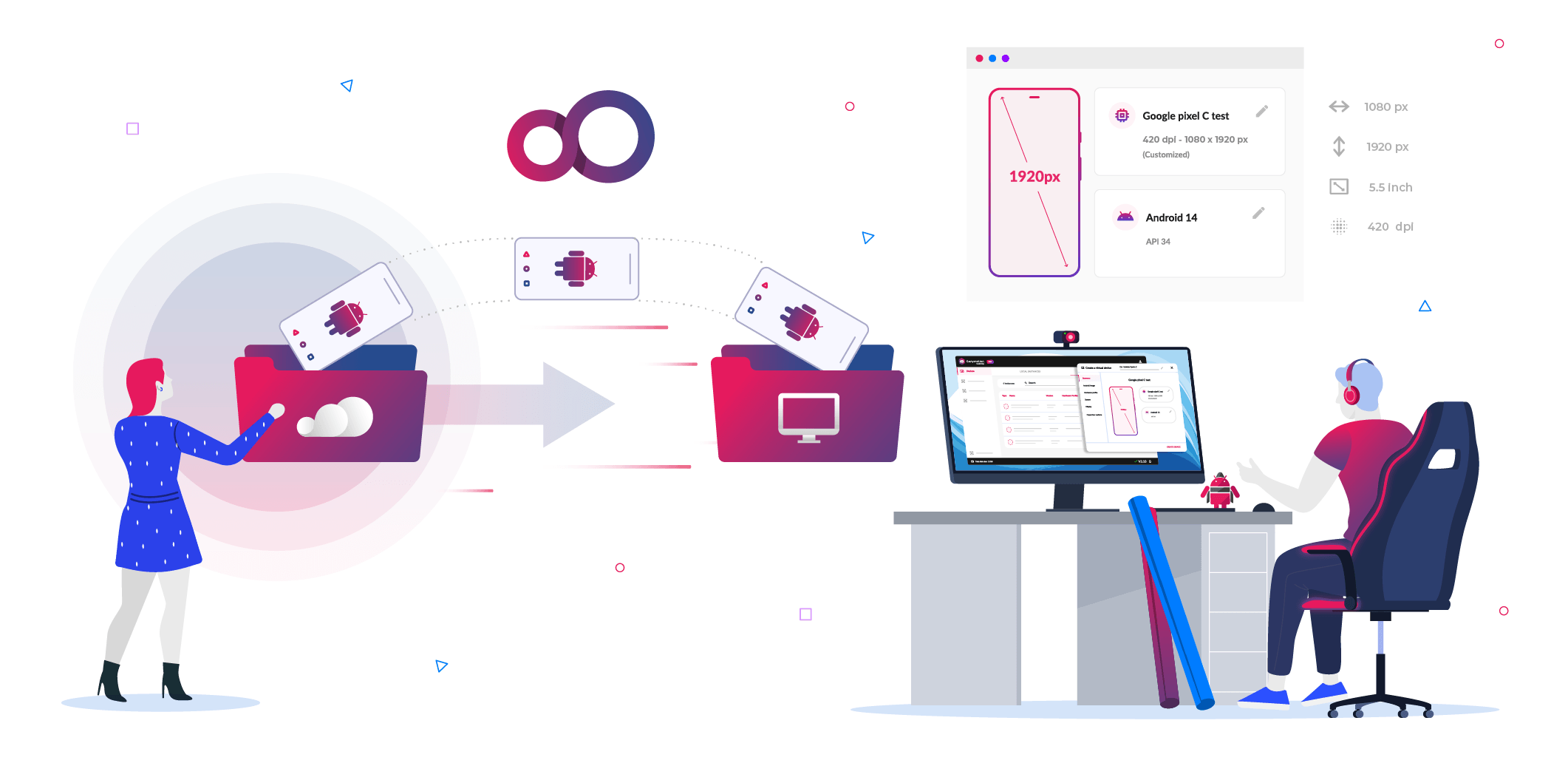
Illustration for new Genymotion Desktop 3.10 release, with new graphical interface.

We are thrilled to announce the release of Genymotion Desktop 3.10.0!

This update is a major milestone in making Genymotion the most versatile Android emulation platform on the market. Whether you are testing locally or leveraging the scale of the cloud, version 3.10.0 brings everything into a single, unified workflow.

Let’s dive into the highlights!

✨ New features ✨

πŸŒ₯️ Seamless Genymotion SaaS Integration

The biggest star of this release is the deep integration with Genymotion SaaS. You can now view and orchestrate your cloud-based virtual devices directly from the Desktop interface.

  • Unified Experience: Interact with remote devices exactly as you would with local ones.
  • Automatic ADB Tunneling: No manual configuration required. Your cloud devices appear in ADB automatically, making them instantly compatible with your favorite testing frameworks, IDEs, and logcat.
  • Desktop Power: Unlock specific features like developer options, dynamic rooting and gamepad support on your SaaS instances.

🎨 A Modern, Streamlined UI

We’ve completely redesigned the interface to be cleaner, faster, and more intuitive. We know your time is valuable, so we’ve killed the “Next, Next, Next” installation wizard.

  • Two-Click Deployment: Launch a local virtual device in seconds.
  • Dedicated Resource Pages: Hardware profiles and Android images now live on their own dedicated pages for better organization.
  • Hardware Previews: You can now see a screen preview of the hardware profile before you commit to creating the device.
Deploy a new local virtual device from an Android image
Deployment is now faster than ever!

πŸ“‹ Flexible Clipboard Sharing

We’ve rethinked how clipboard sharing works based on your feedback. It is no longer a global, static setting.

  • Per-Device Control: Enable or disable clipboard sharing for each specific VM.
  • On-the-Fly Toggles: Change your clipboard settings at runtime directly from the emulator toolbar without needing to restart the device.

One more detail: it’s never enabled at first when using a Cloud virtual device.

πŸ› οΈ Experimental OBS Virtual Camera Support

To fine-tune camera injection, version 3.10.0 introduces experimental support for OBS Virtual Camera on Linux and macOS. Sharing your OBS scene directly into the Android camera is now possible!

✨ Refreshed Iconography

Consistency is key to a great user experience. We’ve refreshed almost every feature icon in the emulator. These new designs are modern, clear, and consistent across Genymotion and official documentation.
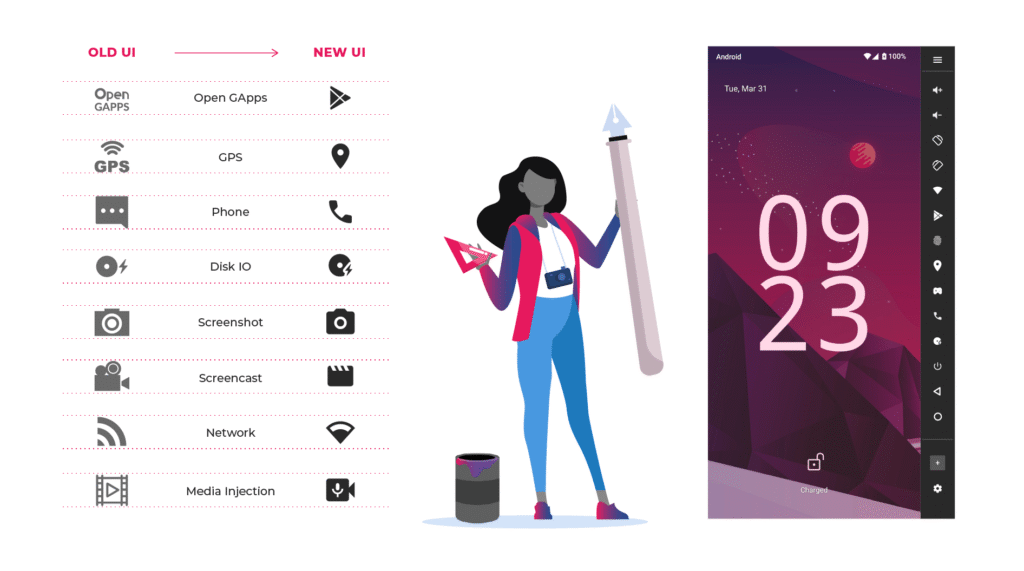
Illustration for the graphical user interface changes between previous versions of Genymotion Desktop and the new 3.10 release.

πŸ›Fixes

Please refer to the release notes.

Ready to upgrade?

Genymotion Desktop 3.10.0 is a game-changer for hybrid local/cloud workflows. Download the update now and experience it for yourself!


Scroll to Top

Select Product Portal

SaaS Platform

Access to our SaaS solution and use virtual machines in the cloud on any web browsers.

Or

Or

Desktop Platform

Access to manage your Genymotion Desktop licenses, your invoices and account information.

How to get a quote for multiple Business Licenses?

  1. You need a Genymotion Desktop account. If you haven’t one yet, you can create it here.
  2. After creation and activation, or if you already have an account, follow this link.
  3. Add the number of desired licenses to your shopping cart and click “Continue to Billing”
  4. Add a shipping address, or select one if you already created one.
  5. Β In the next page, click “Get a quote”:
    Payment details
  6. A quote will be automatically generated in PDF format.

Genymotion Device Image for Cloud providers
- Private Offer -

Genymotion Self-hosted (on-premises)
- Contact Us -

Genymotion SaaS
- Increase Maximum Simultaneous devices -

Genymotion SaaS Enterprise Plan
- Get a Quote -

Genymotion SaaS Premium Plan
- Get a Quote -

Personal Use - Free

Genymotion Desktop for personal use is not suitable for trial or POC: you will not get any assistance and some features will be disabled. If you have already selected β€œpersonal use” and wish to get a trial license, please contact our Sales at [email protected].

Technical support is not available with Genymotion Desktop free edition for personal use. For more details, please refer to Genymotion conditions of use (Personal Use).

The following features are not available in personal use mode:

Follow these steps to get Genymotion Desktop and activate personal use mode:

  1. Go to the Download page and get the latest version for your system.
  2. Follow the instructions from Genymotion Desktop quickstart guide to install Genymotion Desktop.
  3. Launch Genymotion and click CREATE to create an account. You should receive an activation email within an hour. If not, make sure to check your spam.
  4. After activating your account, return to Genymotion and log in with your credentials.
  5. Select personal use when prompted.
  6. Read Genymotion Desktop quickstart guide carefully to setup Genymotion for your needs.

Contact Sales
- Premium Plan -

Select a Cloud provider Marketplace



