Apple Mac M1/M2: Genymotion Desktop 3.4.0 beta is available!
Genymotion Desktop 3.4.0 beta for macOS is out to the public for testing! What’s new? Wanna try our? Then go to the download area and select “Beta”. ⚠ Rosetta 2 must be enabled. ⚠
Say “Hi!” to Android 12.1! Remember Android 12? Well, its little brother, Android 12.1, has just joined the party and is now available for Genymotion Desktop and Genymotion SaaS (Cloud)! Genymotion Desktop Make sure to use the latest version of Genymotion Desktop and select Android 12.1.0 when creating a new device: Genymotion SaaS (Cloud) All you need to do is to create a custom recipe with Android 12.1 image:
Genymotion Desktop has just been updated to 3.3.3! This minor upgrade, brings compatibility to VirtualBox 7.0 on macOS – it is now possible to use Genymotion with VirtualBox on macOS Ventura! – but also some new features, such as video/image re-framing and GIF support. Let’s see this into details… First, we fixed the camera orientation; remember on previous Desktop versions? Camera preview looked like this: Desktop 3.3.2 Wrong Camera Orientation Camera preview was not in the right orientation; the same issue occurred when taking a picture. We changed this behavior and now we consider the input image as a scene which stands behind or beyond the device (depending on the chosen Android camera, back or front). It means that whatever the rotation of the virtual device is, the input image will not rotate. For example, if you turn the device upside down, the image in the camera preview will stay the same way as when you hold your smartphone. But wait… most input images (like camera, videos, images) are in landscape, how to use them with a virtual device which has a natural portrait orientation (like a smartphone)? Well, that’s why we introduce a re-frame option so you can choose how input images are treated. Crop mode: input image is cropped to fit the device orientation. Desktop 3.3.3 Camera crop mode Keep aspect: all input image pixels are kept but margins are added to fit the device orientation. Desktop 3.3.3 Keep aspect mode Resize: No treatment done, input image is scaled to fit device orientation. Desktop 3.3.3 Resize mode Regarding input images, Desktop 3.3.2 and inferior allowed you to use .png, .jpg, .bmp and .svg images as camera input. In Desktop 3.3.3, we added animated image (GIF) support. Desktop 3.3.3 GIF support Make sure to check out the release notes for more information.
After AWS and GCP, Android 12 images have made their way to Azure and Alibaba Cloud! It is available for arm64 instances only on Alibaba Cloud, and for x86_64 virtual machines on MS Azure. For more information, please visit Genymotion Device image release notes.
Beta testing is over for Android 12 image for Genymotion Device Image and we are proud to announce the release of the final version! The image is now available on AWS for arm64 only, and GCP for x86_64 only. This new image is unrooted by default and offer many new features, such as rounded corners. As always, make sure to check out the release notes for detailed information.
We are delighted to announce that Android 12 has finally made its way to Genymotion Desktop and Genymotion SaaS (Cloud)! Genymotion Desktop Make sure to use the latest version of Genymotion Desktop and select Android 12 when creating a new device: For more information, please refer to Genymotion Desktop release notes. Genymotion SaaS (Cloud) All you need to do is to create a custom recipe with Android 12 image: For more information, please refer to Genymotion SaaS release notes.
A new version of Genymotion virtual devices has been released! This version fixes GPS location with Google Play Services on Android 11. For more details, see the release notes.
Genymotion Desktop has just been updated with a maintenance release. This update brings support for VirtualBox 7.0.2+ on Windows and Linux – support on macOS is still in progress – and other bug fixes. Check out our release notes for more details.
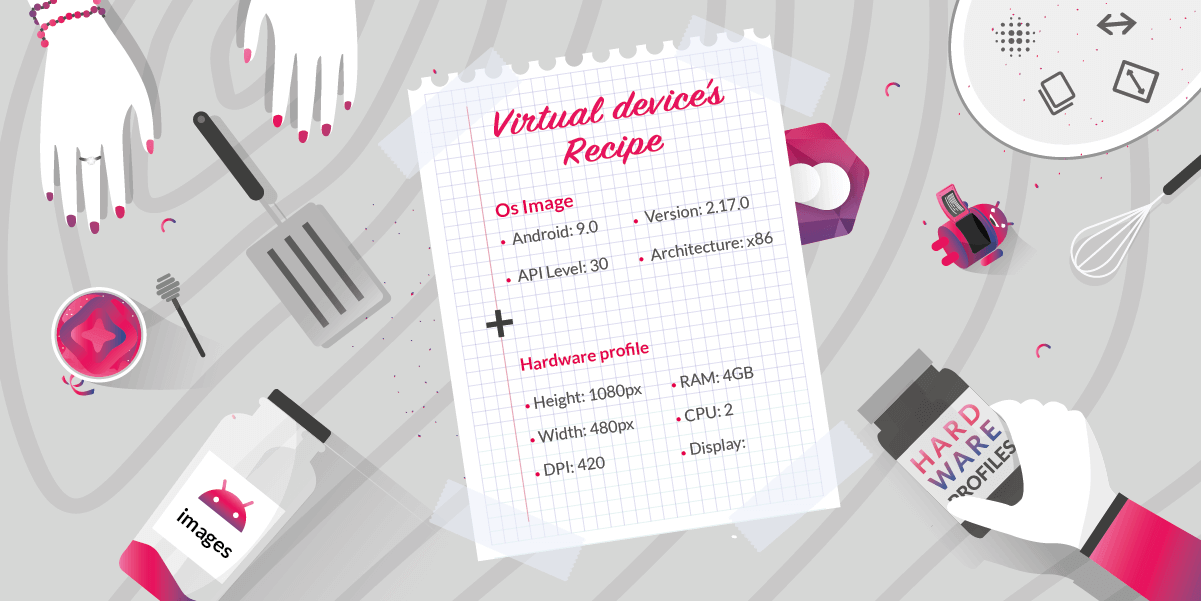
Genymotion SaaS has just been updated! And with it we are proud to introduce our brand new feature: Hardware Profiles and Image! This new feature allows you to: For more details, do not hesitate to visit Genymotion SaaS release notes and user guide.
Our new Hardware profile is almost ready for implementation! This feature will allow you to create custom recipes with a combination hardware specifications (hardware profiles) and Android images of your choice. However, we will need to put our servers in maintenance on December 7, 2022 from 8:00 to 10:00 UTC | 9:00 to 11:00 CEST, to do the upgrade. You might experience downtime, so make sure to avoid using our service at this moment. Also, to avoid any data loss, we will stop any running processes and shut down all running instances if any. We thank you for your patience and look forward to offering this new feature to you!