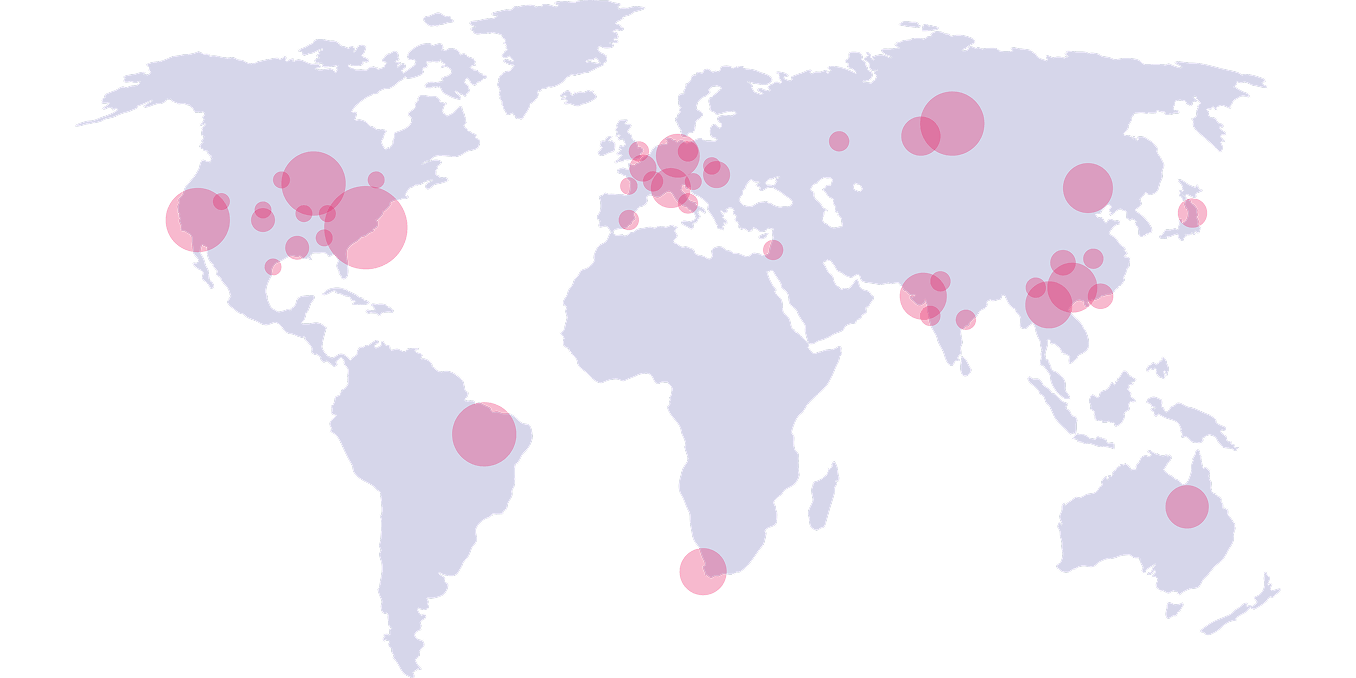
Worldmap showing Genymotion partners locations.

Deliver the Best of Breed Android Emulator Architecture Your Clients Need

From high-performance Desktop emulation to infinite Cloud scalability, Genymotion powers the world’s best mobile teams. Partner with us to bring enterprise-grade Android emulation to your customers—and solve their most complex Business challenges.

Meet some of our partners

Grow your business with a Genymotion partnership

Illustration showing a business man and a woman shacking hands.

Resell, Co-sell & Distribution

Resell the full range of Genymotion’s portfolio of private and public cloud products: Genymotion Desktop, Genymotion SaaS, Genymotion Self-hosted.

Presales Service support & Training

Genymotion can help train your presales teams and provide you with sales collateral and permission to use the Genymotion trademarks in your own materials.

Build

Gain access to technology that is the foundation for digital transformation and expand your business through marketing support and partner alignment with a trusted brand.

Become a partner

Contact our sales with the following form

By filling in this form, you consent to Genymobile, as data controller, collecting your data in order to reply to your message. To exercise your right of access or deletion, please consult our privacy policy.
Scroll to Top

Select Product Portal

SaaS Platform

Access to our SaaS solution and use virtual machines in the cloud on any web browsers.

Or

Or

Desktop Platform

Access to manage your Genymotion Desktop licenses, your invoices and account information.

How to get a quote for multiple Business Licenses?

  1. You need a Genymotion Desktop account. If you haven’t one yet, you can create it here.
  2. After creation and activation, or if you already have an account, follow this link.
  3. Add the number of desired licenses to your shopping cart and click “Continue to Billing”
  4. Add a shipping address, or select one if you already created one.
  5.  In the next page, click “Get a quote”:
    Payment details
  6. A quote will be automatically generated in PDF format.

Genymotion Device Image for Cloud providers
- Private Offer -

Genymotion Self-hosted (on-premises)
- Contact Us -

Genymotion SaaS
- Increase Maximum Simultaneous devices -

Genymotion SaaS Enterprise Plan
- Get a Quote -

Genymotion SaaS Premium Plan
- Get a Quote -

Personal Use - Free

Genymotion Desktop for personal use is not suitable for trial or POC: you will not get any assistance and some features will be disabled. If you have already selected “personal use” and wish to get a trial license, please contact our Sales at [email protected].

Technical support is not available with Genymotion Desktop free edition for personal use. For more details, please refer to Genymotion conditions of use (Personal Use).

The following features are not available in personal use mode:

Follow these steps to get Genymotion Desktop and activate personal use mode:

  1. Go to the Download page and get the latest version for your system.
  2. Follow the instructions from Genymotion Desktop quickstart guide to install Genymotion Desktop.
  3. Launch Genymotion and click CREATE to create an account. You should receive an activation email within an hour. If not, make sure to check your spam.
  4. After activating your account, return to Genymotion and log in with your credentials.
  5. Select personal use when prompted.
  6. Read Genymotion Desktop quickstart guide carefully to setup Genymotion for your needs.

Contact Sales
- Premium Plan -

Select a Cloud provider Marketplace